24me for iPhone Duo: More Room for Your Day

Your day has a lot of moving parts. A meeting to prepare for. A bill to pay. An idea you want to keep. Sometimes you need a quick look at what’s next. Sometimes you need room to see how it all fits together.

24me for iPhone Duo is available now, bringing your calendar, tasks, notes, and reminders together in a smart personal assistant designed to make the most of the new foldable iPhone.

With iPhone Duo launching today, we’re introducing adaptive layouts, a spacious calendar, side-by-side task and note editing, and a refreshed editing experience. Folded or unfolded, 24me gives your plans room to breathe.

A personal assistant that adapts as you fold and unfold

A foldable phone changes how much space you have to work with throughout the day. You might check a reminder on the outer display while heading out, then open the phone when you have a moment to plan.

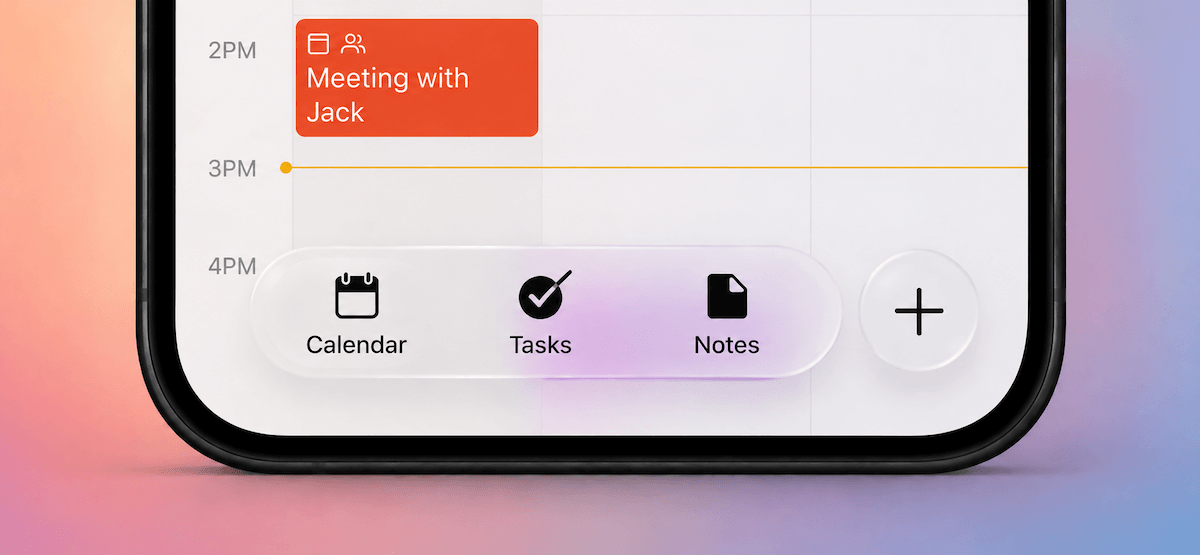
24me’s resizable layouts adapt to those different screen sizes and orientations. Navigation adjusts with the layout, keeping your calendar, tasks, and notes close at hand. The app opens on the view you last used, so you can return to the way you prefer to organize your day.

The idea is simple: a quick check when that’s all you need, and a wider workspace when you want to spend more time with your plans.

A calendar app for iPhone Duo, with room for the week

Planning is easier when you can see the time around an appointment as well as the appointment itself.

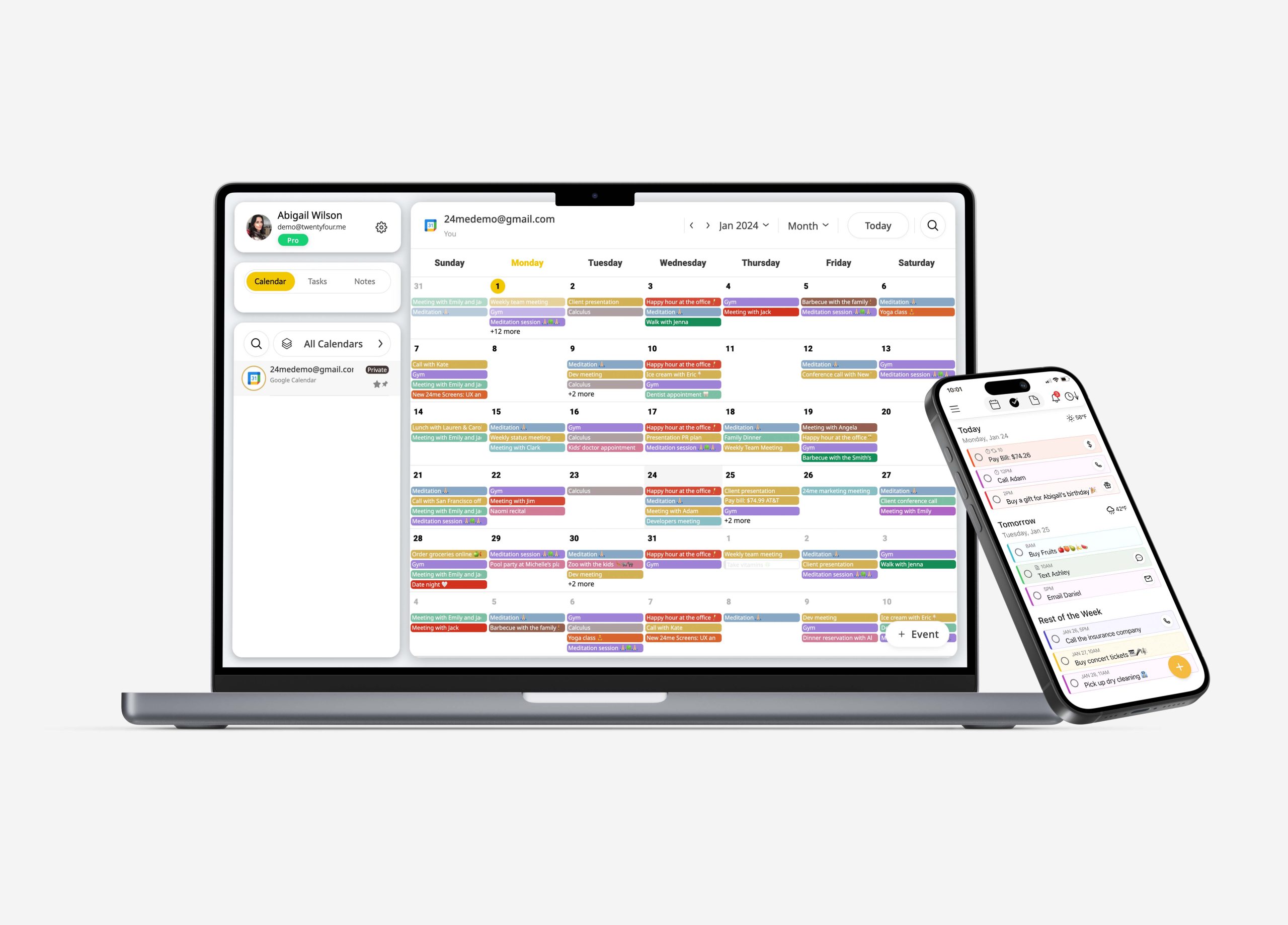
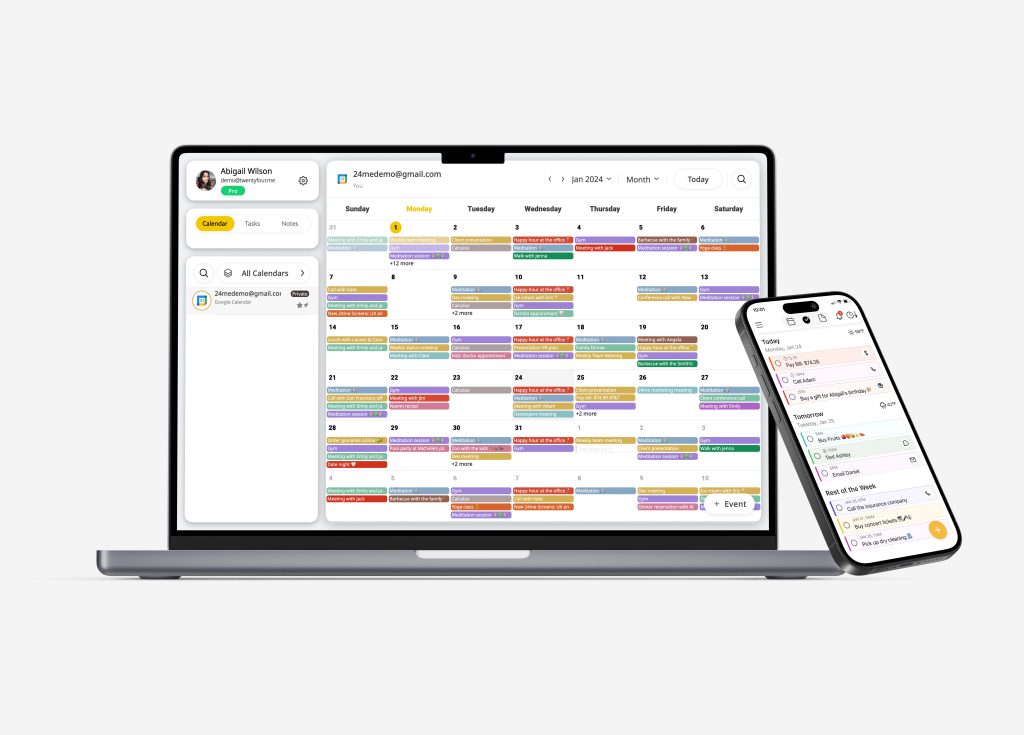
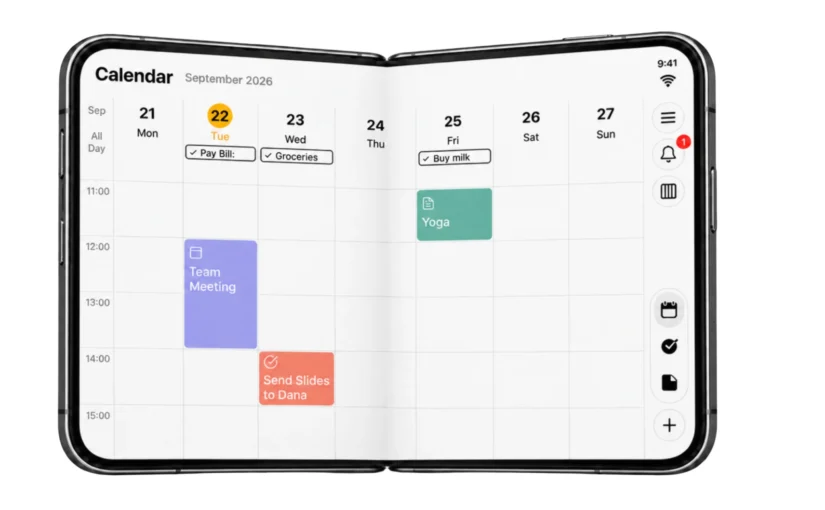
24me’s spacious calendar makes use of the larger inner display to show your schedule across the week, with events and tasks together. Review a team meeting, a personal appointment, and the tasks between them in one place.

That broader view helps when you’re deciding where something fits. Before adding another commitment, you can look at the shape of the week and see what you’ve already planned.

Your calendar remains part of the same personal planner as your to-do list, notes, and reminders. There’s room for the whole day—from work commitments to the small things you want to remember at home.
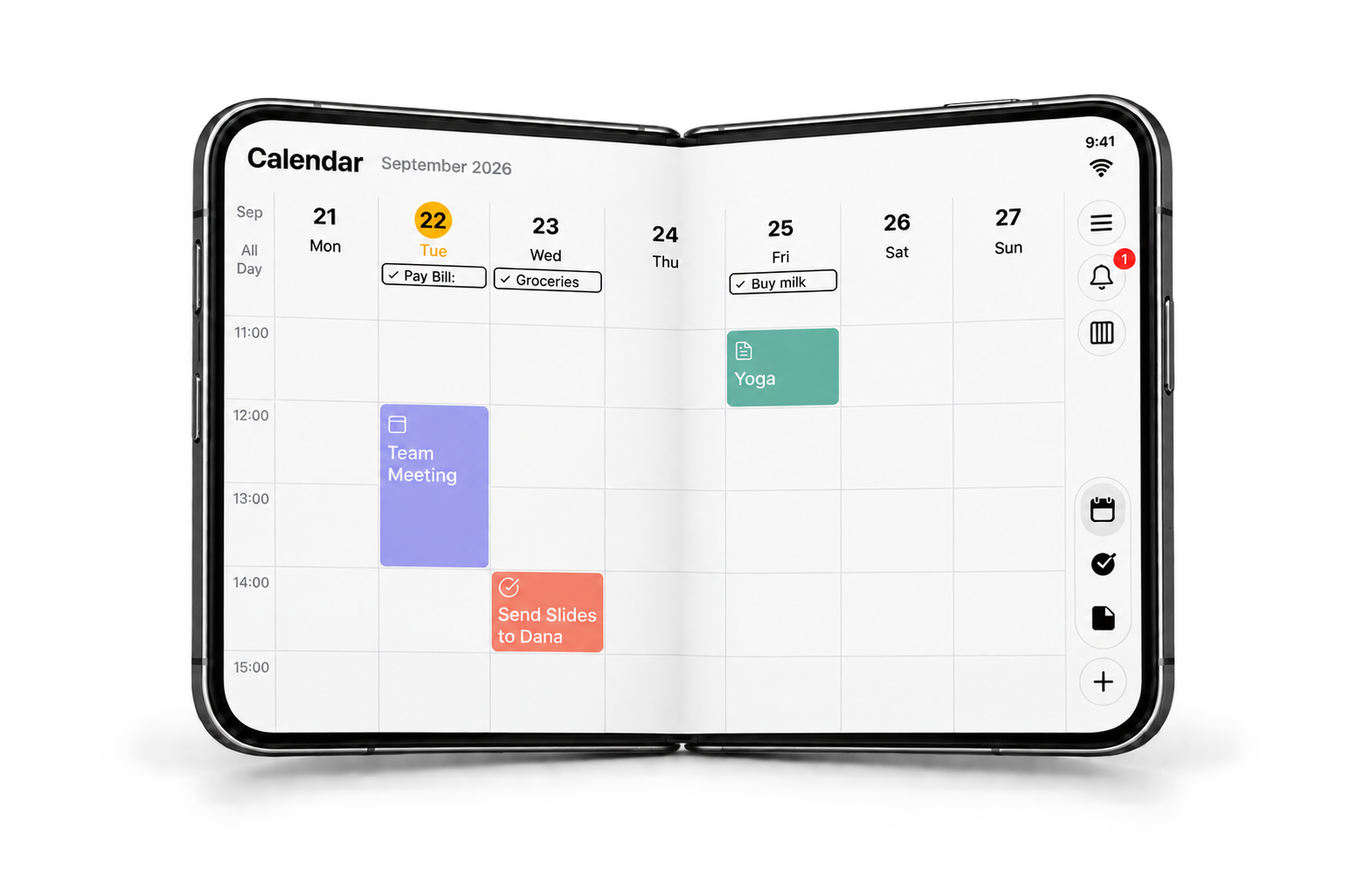
24me’s weekly calendar on the open iPhone Duo, shown slightly folded.

24me on the open iPhone Duo.

Your to-do list and the details, side by side

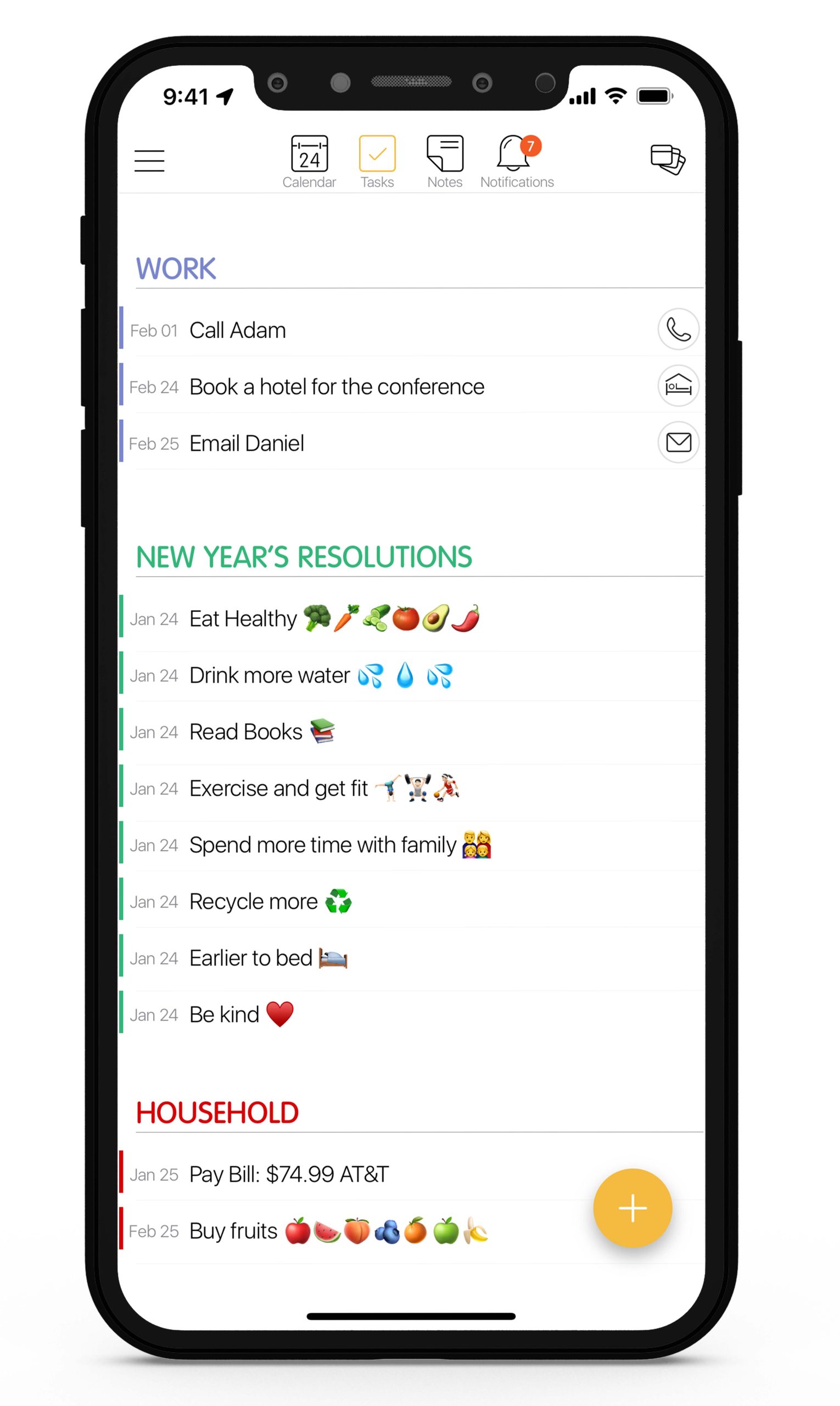
On the closed iPhone Duo, your task list makes it easy to check what’s coming up. Open the device, and the expanded screen gives you room to keep the list visible while viewing and editing a selected task beside it.

Suppose you’re reviewing tomorrow’s errands. You can open “Buy groceries,” adjust its reminder, and still see the other things on your list. Or check the details of a work task while keeping the rest of your commitments in view.

For anyone looking for a to-do list app for iPhone Duo, that extra context is useful: you can work on one task while remembering where it belongs in your day.
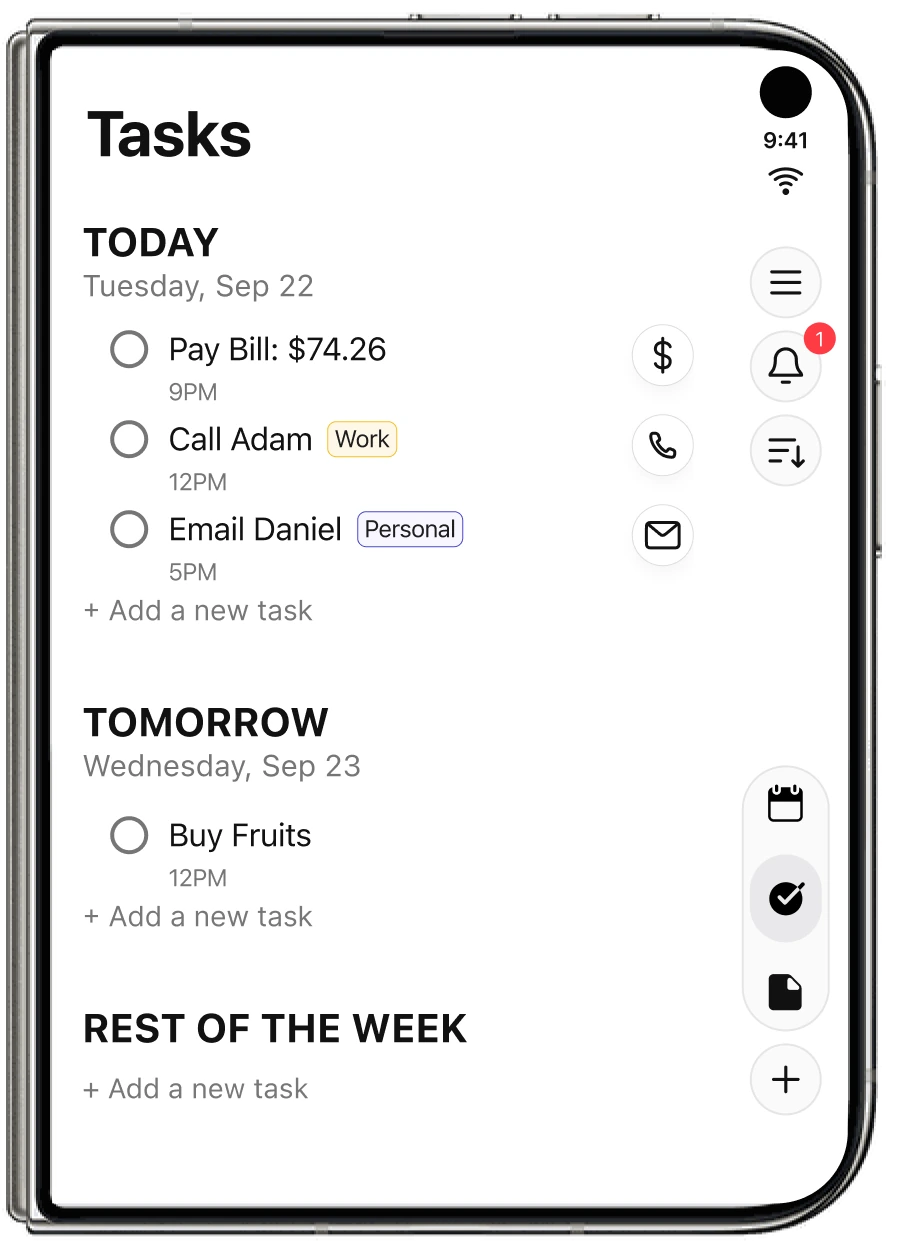
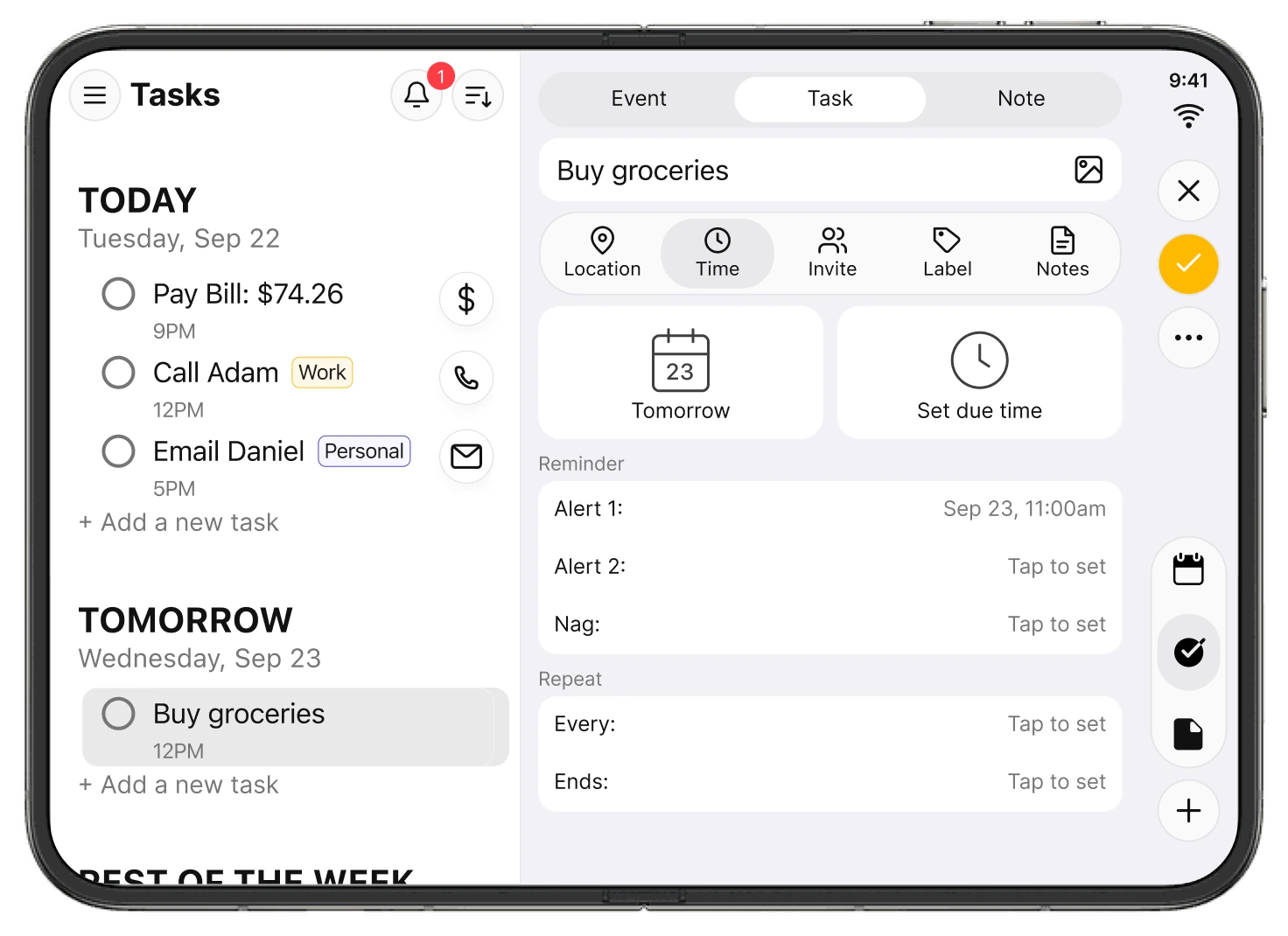
24me’s task list on the closed iPhone Duo.
A selected task’s details appear beside the task list on the open iPhone Duo.

Check your list on the outer display. Open iPhone Duo to work with the details alongside it.

More space for your notes and ideas

A good note-taking experience helps you capture an idea and come back to it when you need it.

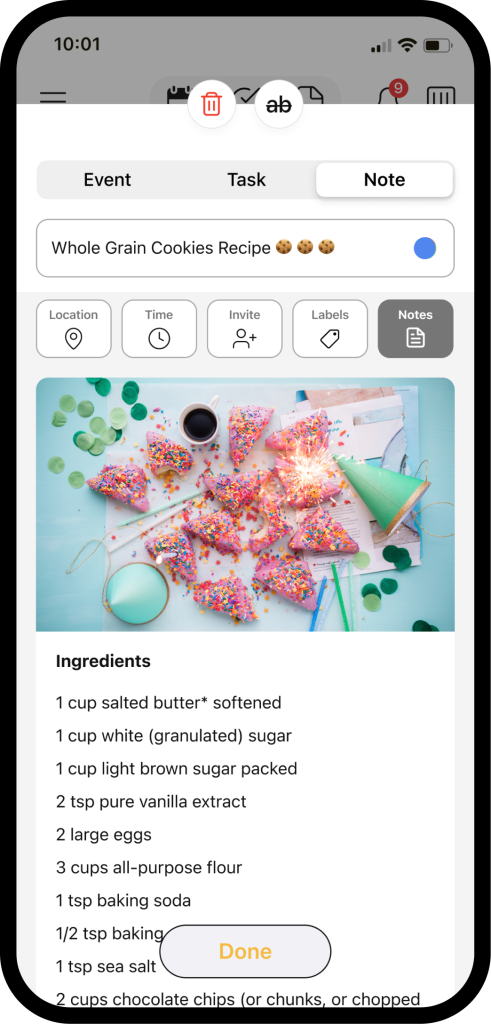
On the expanded screen, 24me keeps your notes list visible while you open and edit a note beside it. Review what you’ve saved, choose a note, and give its content more room.

Whether you’re keeping meeting notes, planning a project, or writing down something you don’t want to forget, the layout brings your list and your writing together. Notes stay part of the same organizer you use to manage your schedule and tasks.
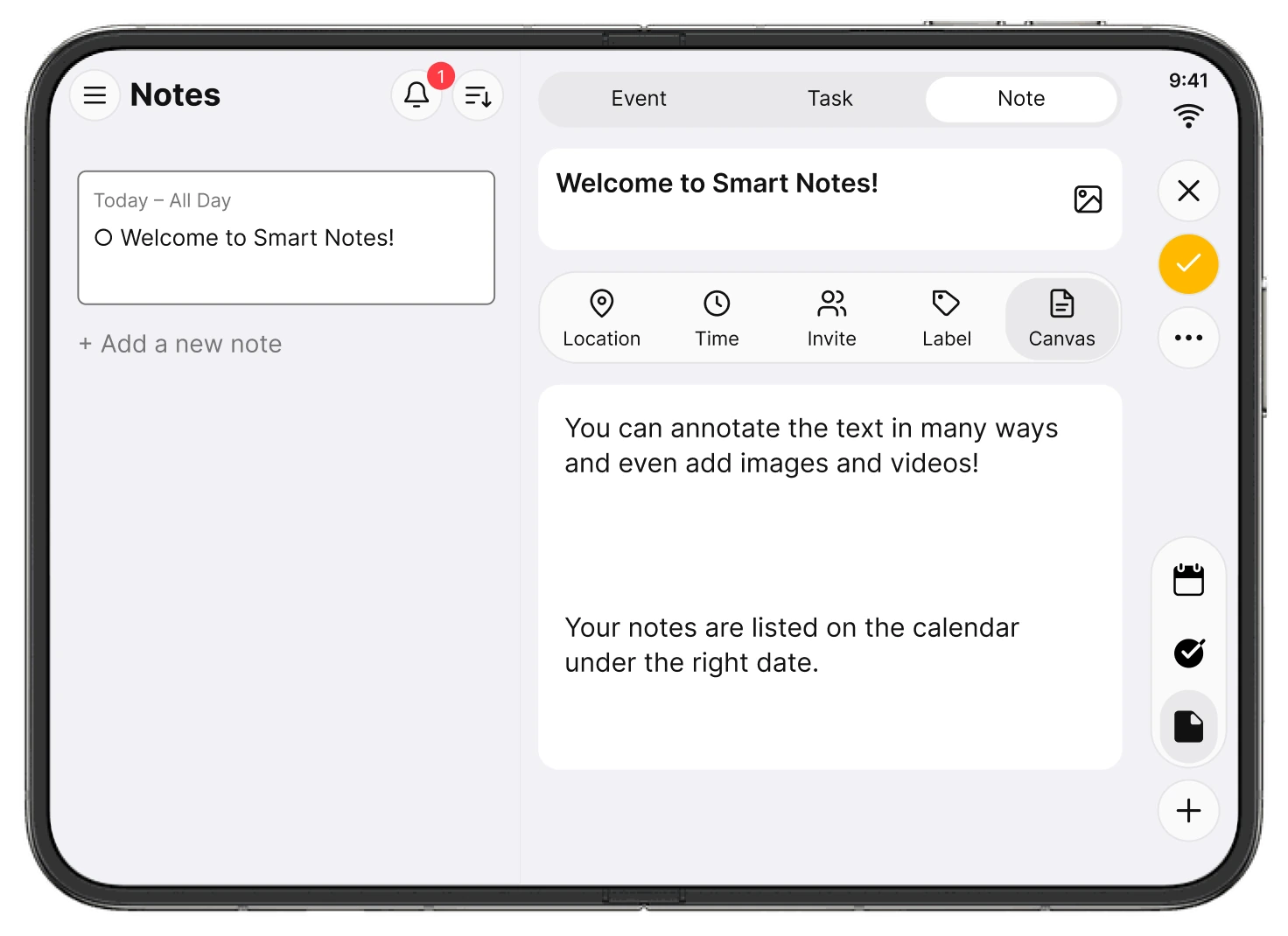
24me’s notes list and an open note displayed side by side on iPhone Duo.

Your notes list stays in view while you read or edit a note beside it.

Edit the details while keeping your calendar in view

The update also introduces redesigned editing windows for events, tasks, and notes that adapt to your screen.

A focused editing sheet gives an event, task, or note room for its details, reminders, and repeat options while your week stays visible behind it. You can work on the item in front of you with the surrounding schedule still there for reference.

It’s a small but useful part of everyday planning: getting the details right while keeping sight of the bigger picture.
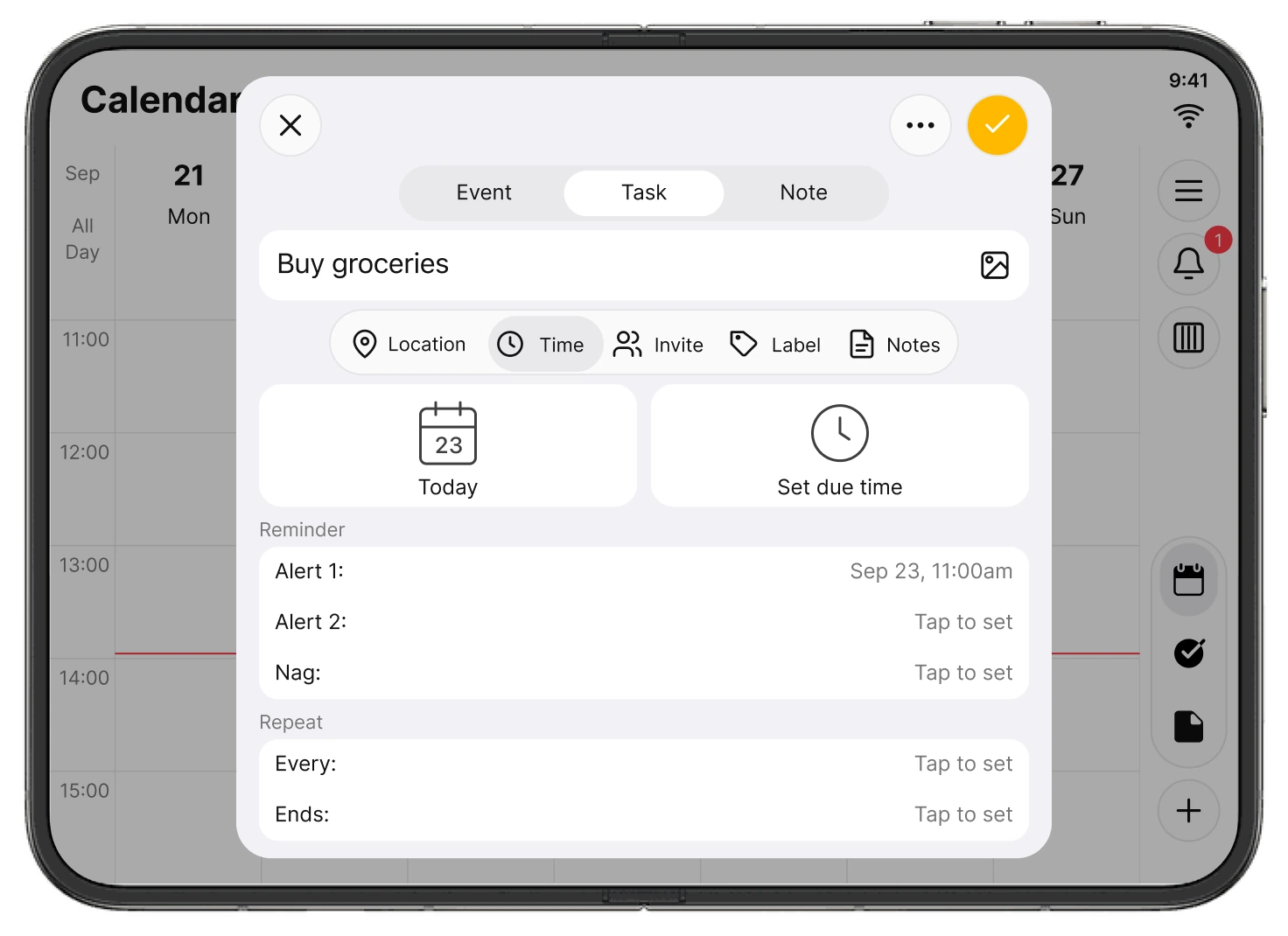
A task editing sheet with reminder and repeat options over 24me’s calendar.

Focus on the details, with your calendar still visible behind the editing sheet.

Built on 24me’s iOS 27 experience

This release builds on our iOS 27 update, which introduced Live Activities, expanded App Intents integration with Siri, Spotlight, and Shortcuts, Apple Intelligence experiences, and Liquid Glass design.

The iPhone Duo update brings a new dimension to that work: layouts designed around the space available to you, from the compact outer display to the expanded inner display.

If you’re exploring productivity apps for iPhone Duo, 24me brings four everyday essentials together: a calendar, a task manager, notes, and reminders—with more room to use them.

Make more room for your day

We’ve always believed that getting organized should leave you with more time and attention for the things that matter. We’re excited to bring that idea to iPhone Duo from day one.

Download or update 24me on the App Store and make more room for your day.

See more of 24me for iPhone Duo.

Questions about 24me for iPhone Duo

Is 24me ready for iPhone Duo at launch?

Yes. The updated version is available on the App Store for the October 23, 2026 launch, with adaptive layouts for the device’s different screen sizes.

What changes when I unfold iPhone Duo?

24me makes use of the larger display with a spacious calendar and side-by-side layouts for your task or notes list and the selected item. Navigation and editing windows adapt to the available space.

Can I manage my calendar, tasks, notes, and reminders in one app?

Yes. 24me brings all four together in one smart personal assistant, so you can plan your schedule and keep track of what you need to do in the same app.
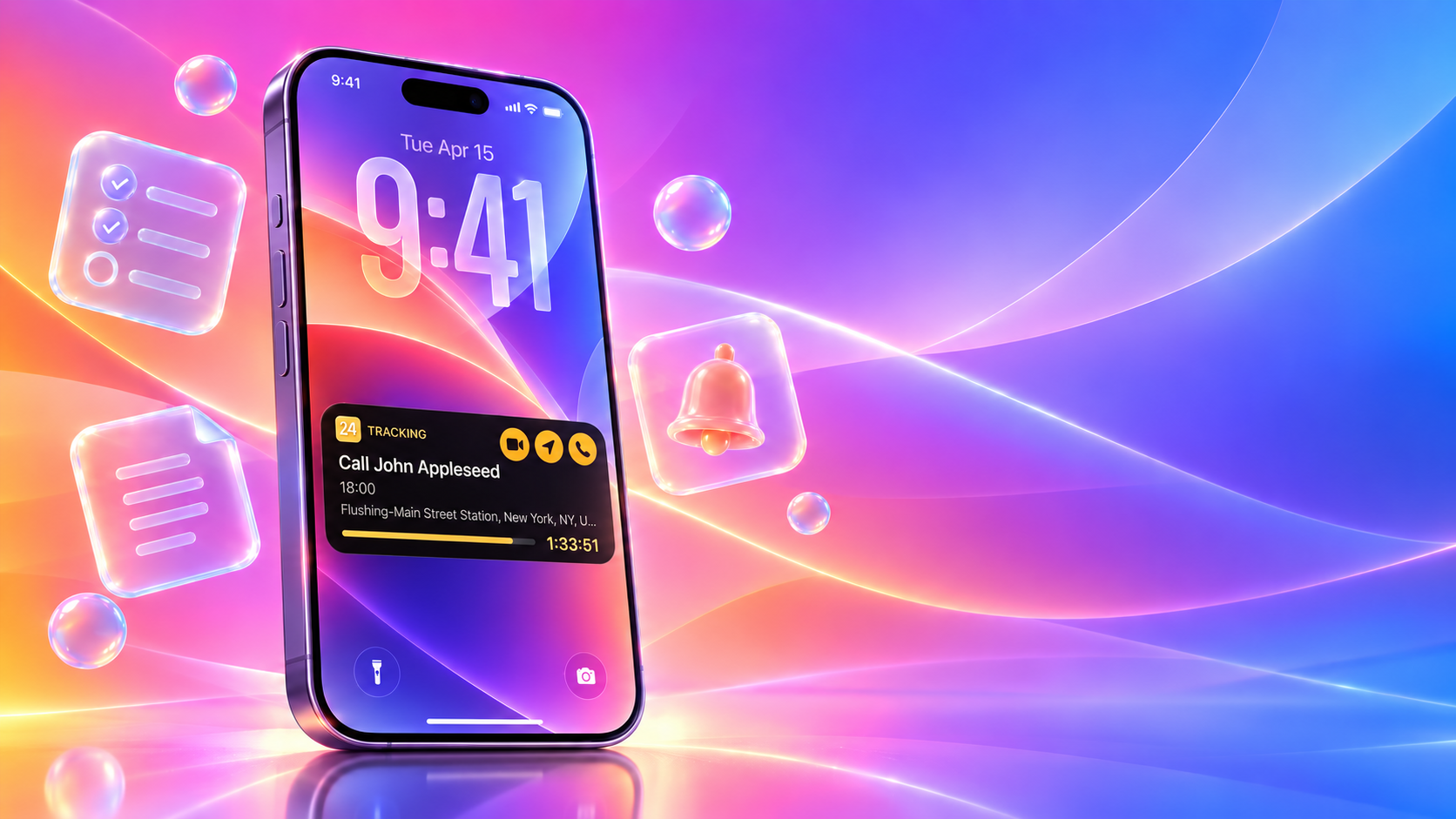
Smarter, Faster, Native: 24me for iOS 27 with Live Activities, Apple Intelligence & Liquid Glass

At a Glance: What’s New in 24me for iOS 27?

  • Live Activities & Dynamic Island – “Track Live”: Turn reminders into real-time countdowns with contextual one-tap actions for meetings, navigation, calls, emails, texts, and more.
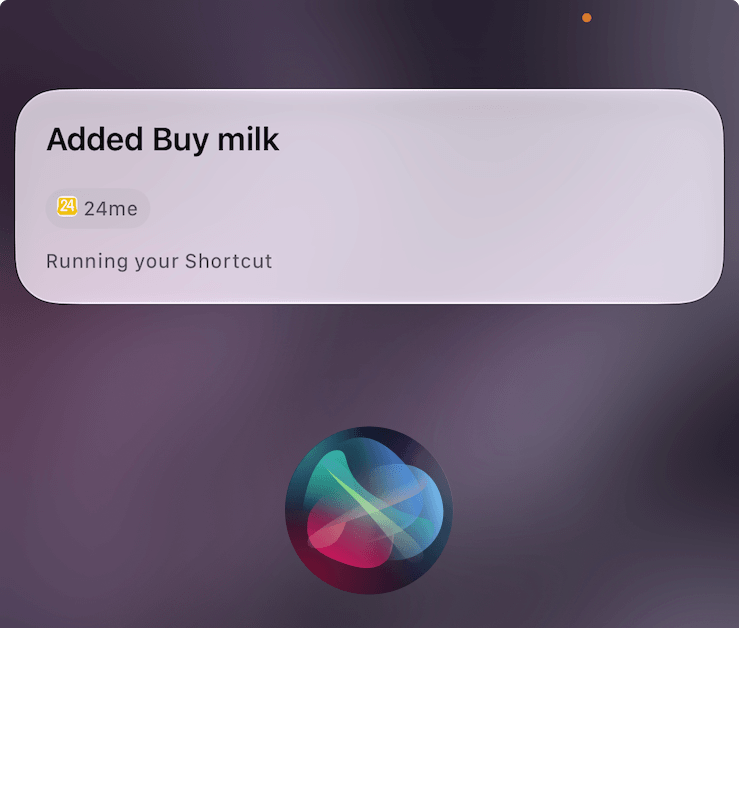
  • Apple Intelligence & App Intents: Create and access calendar events, tasks, notes, and reminders through Siri, Spotlight, App Shortcuts, and Shortcuts.
  • Liquid Glass: A refined iOS 27 interface designed for clarity, depth, and native integration.
  • Deeper Apple ecosystem integration: Interactive Widgets, rich Notifications, Apple Watch, Lock Screen experiences, Siri, Spotlight, and Shortcuts.

24me, the all-in-one smart personal assistant for calendar, tasks, notes, and reminders, is ready for iOS 27. The new release builds on 24me’s proactive productivity experience with Live Activities, Apple Intelligence, App Intents, Dynamic Island integration, and a refined Liquid Glass design — bringing your schedule and next actions even closer to where you need them across iPhone.


The Next Generation of Proactive Assistance

Most productivity apps suffer from a fundamental flaw: they are passive. They sit on your home screen, waiting for you to remember to open them, browse through lists, and manually tap around to find a meeting link or check a deadline.

This constant context switching creates mental friction. Whether you are an executive moving between client calls, a working parent juggling school pickups and doctor visits, or a student balancing exams and projects, you don’t need another list to manage – you need an assistant that anticipates your next move.

24me was designed from the start to be more than a place to store tasks and events. As a proactive personal assistant, it already helps users act on their day through smart reminders, contextual alerts, and one-tap completion actions tied to tasks and events — whether that means calling someone, sending an email or text, buying a gift, joining a meeting, or taking the next relevant action directly from a notification. With iOS 27, that proactive experience becomes even more powerful. Live Activities, Apple Intelligence, and App Intents bring 24me deeper into the system, surfacing timely information and actions across the Lock Screen, Dynamic Island, Siri, Spotlight, and Shortcuts.


24me Live Activities for iOS 27: Introducing “Track Live”

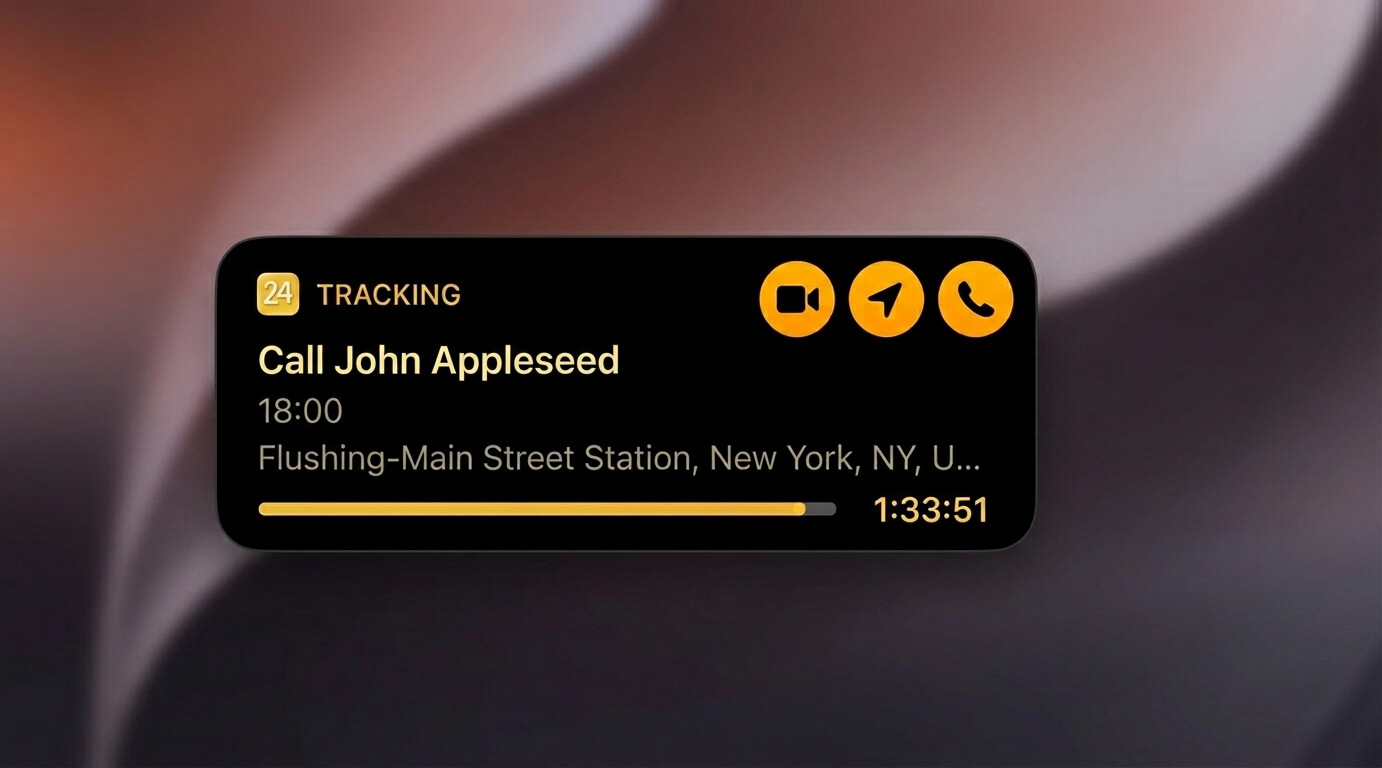
24me Live Activities on the iOS 27 Lock Screen and Dynamic Island

We’ve all experienced the pre-meeting scramble: a calendar notification alerts you that a meeting starts in five minutes, forcing you to unlock your phone, open the calendar, tap the event, locate the video link, and wait for the meeting app to load.

24me’s new Track Live feature eliminates that entire sequence.

How It Works

When a reminder notification arrives on your Lock Screen:

  1. Long-press the notification to expand its interactive options.
  2. Tap the “Track Live” action button.
  3. 24me immediately promotes the reminder to a persistent Live Activity on your Lock Screen and a persistent Live Activity on your Lock Screen and in the Dynamic Island.

Real-Time Countdowns and One-Tap Execution

Once active, Track Live provides a continuous, real-time countdown to your event. More importantly, it surfaces immediate, contextual action buttons directly on your display:

  • One-Tap Video Calls: Launch directly into Zoom, Microsoft Teams, or Google Meet without searching through calendar invite notes.
  • Instant Navigation: Tap once to launch turn-by-turn directions in Apple Maps, Google Maps, or Waze based on the event’s saved address.
  • Direct Communication & Action-Linked Tasks: Execute your to-dos directly from the Lock Screen. For tasks that involve calling, emailing, or messaging someone, 24me automatically surfaces dedicated Call, Email, or SMS action buttons on the Live Activity card.

Whether you are catching a flight, heading to a client presentation, or picking up the kids from soccer practice, Track Live ensures that the tools you need to take action are visible and accessible without unlocking your phone.


Apple Intelligence & App Intents in 24me: Siri, Spotlight and Shortcuts

24me Apple Intelligence and App Intents integration with Siri on iOS 27

Voice assistants and search tools are only as useful as their ability to take action. With iOS 27, 24me expands its App Intents integration for iOS 27, making 24me actions and content available across Siri, Spotlight, Shortcuts, and Apple Intelligence experiences.  allowing the system to understand both what you need to create and what you need to retrieve.

Natural, Conversational Creation24me’s Liquid Glass Design for iOS 27

You no longer need to format commands rigidly. Simply speak naturally to Siri or type into Spotlight to log entries instantly:

  • “Add a task in 24me to review the quarterly budget this Friday at 3 PM.”
  • “Create an event in 24me: Doctor appointment next Tuesday morning at 10.”
  • “Take a note in 24me: ideas for the community fundraiser.”

Apple Intelligence accurately parses dates, times, and context, categorizing the entry into your calendar, task list, or notes without requiring you to launch the app.
Contextual Search and Retrieval

App Intents work in reverse as well. You can query your schedule and workload across the operating system:

  • Ask Siri: “What high-priority tasks do I have left today in 24me?”
  • Ask for context: “What’s my next meeting in 24me?”
  • Type a client’s name into Spotlight Search to instantly surface related upcoming meetings, assigned follow-up tasks, and shared notes in a unified view.
  • Build custom automations in the Shortcuts app that trigger 24me actions based on your location, battery status, or Focus modes.

24me’s Liquid Glass Design for iOS 27

24me Liquid Glass interface for iOS 27

24me was an early adopter of Apple’s Liquid Glass aesthetic. For iOS 27, we conducted a component-by-component audit across the entire app, refining every element so visual depth never compromises daily readability:

  • Calibrated Refraction: Adjusted blur radius and opacity so ambient wallpaper colors shine through without hurting text clarity.
  • Precise Edge Highlights: Added subtle, light-reactive borders to cleanly separate overlapping event cards and lists without visual clutter.
  • Optimized Contrast: Re-indexed typography to ensure crisp readability and accessible contrast in both Light and Dark modes.
  • Tactile Micro-Interactions: Paired fluid native animations with haptic feedback to make scheduling feel natural and responsive.

iOS 27 Widgets, Notifications and Apple Watch Integration

24me’s iOS 27 update strengthens its integration across all Apple touchpoints, ensuring that personal and professional commitments remain synchronized across your daily routine:

Platform / ToolCapabilityReal-World Benefit
Interactive WidgetsComplete tasks or toggle views directly from your Home Screen or Lock Screen.Check off items or browse your day without opening the application.
Apple Watch AppGlanceable complications, Smart Stack support, and wrist notifications.Review upcoming reminders and trigger voice entry on the go.
Rich NotificationsExpandable alerts with quick-response buttons.Snooze, complete, or reschedule tasks directly from banner notifications.

Frequently Asked Questions

What iOS 27 features does 24me?
24me for iOS 27 supports Live Activities on the Lock Screen and Dynamic Island, App Intents for Siri, Spotlight and Shortcuts, Apple Intelligence experiences, Liquid Glass design, Interactive Widgets, rich Notifications, and Apple Watch integration.

How do I activate “Track Live” on my Lock Screen?
When you receive a 24me reminder notification, long-press the alert and tap the “Track Live” button. This promotes the reminder to an active Live Activity and Dynamic Island widget featuring a live countdown and one-tap action buttons.

Which video conferencing apps are supported by Track Live?
24me’s one-tap video action automatically detects meeting links and launches calls in Zoom, Microsoft Teams, and Google Meet directly from your Lock Screen.

Can I use Siri to find existing 24me tasks in iOS 27?
Yes. Through Apple Intelligence App Intents, you can ask Siri contextual questions like “What high-priority tasks do I have left today in 24me?” or search for client meetings directly through Spotlight Search.

Do these new features require an additional purchase for existing users?
No. All iOS 27 platform features—including Track Live, App Intents, and the Liquid Glass interface—are included in the latest app update available on the App Store.


Reduce Mental Load and Stay Focused

True productivity isn’t about packing more tasks into your day, it’s about eliminating the friction that pulls your focus away from what matters.

By uniting Live Activities, Apple Intelligence, and a refined Liquid Glass interface, 24me for iOS 27 turns your iPhone into an active partner in your daily routine. You spend less time navigating software and more time executing your plans.

Get the Update

24me for iOS 27 is available now on the App Store.

  • Existing Users: Update your app via the App Store to unlock the new iOS 27 capabilities immediately.
  • New Users: Download 24me on the App Store to experience intelligent, all-in-one personal assistance.

Welcome to a Smarter New Year: Meet the New 24me ✨

A Smarter Start to the New Year

The third Monday of January – often called Blue Monday – is dubbed the most depressing day of the year, but the feeling tends to last longer than a single day.

Post-holiday fatigue, winter blues, financial stress, and the growing gap between New Year’s resolutions and real life often collide during this period. Surveys consistently show that many people experience lower motivation, reduced energy, and higher stress in mid-January.

Experts agree that getting through this phase isn’t about pressure or willpower – it’s about clarity, structure, small wins, and the right support.

That’s exactly what the new version of 24me is built to deliver.

Your Personal Assistant for Real Life

24me has always been an all-in-one solution – combining calendar, tasks, notes, and personal reminders in one place. With this release, it becomes something more powerful: 

A personal assistant, powered by AI, that helps you decide what to do, when to do it, and how to actually follow through – even when motivation runs low.

Because planning like a pro doesn’t mean doing more. It means having a system that works with real life.

Breakthrough AI Features, Built for Humans ✨

🧠 AI Procrastination Assistant

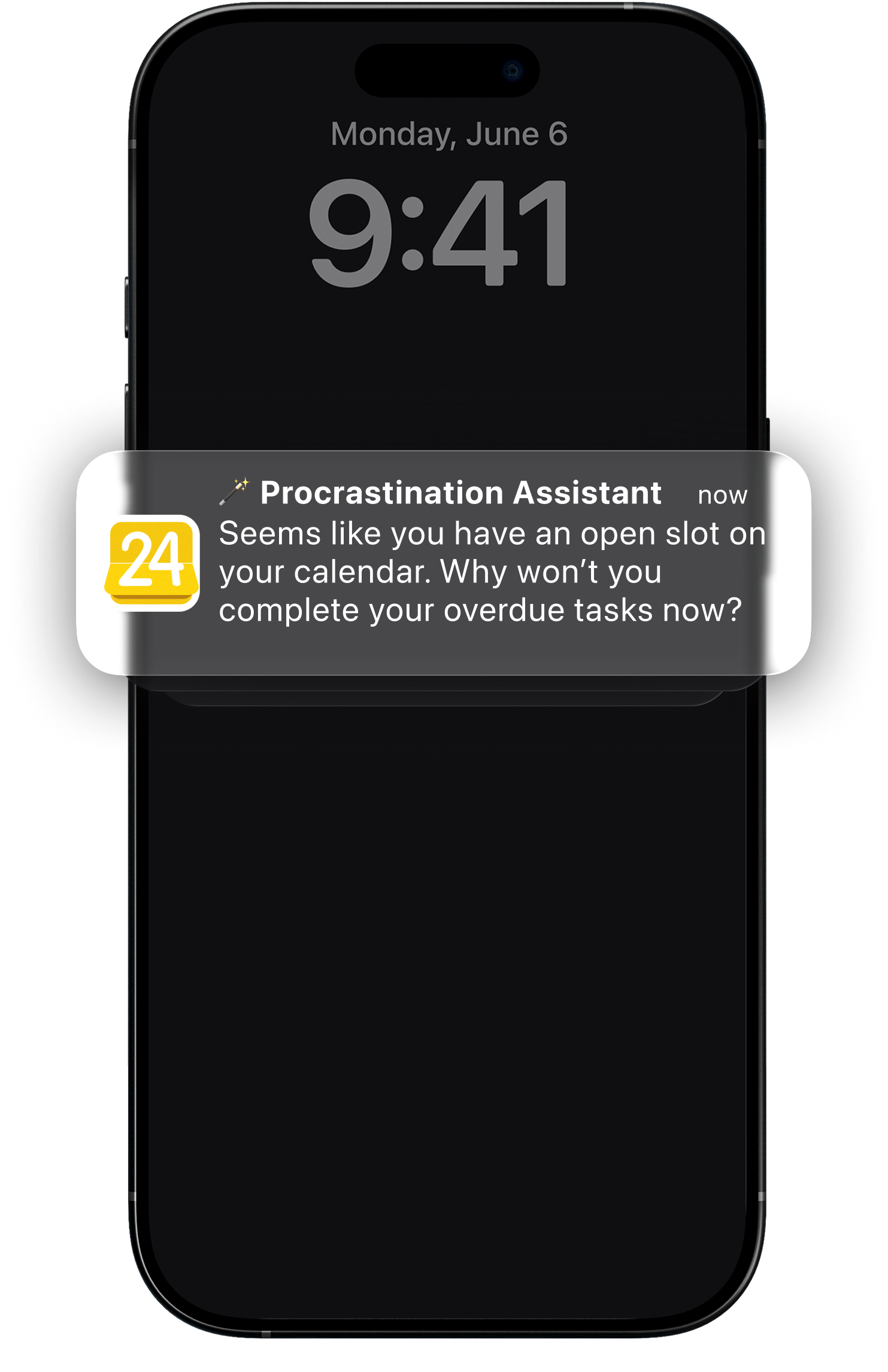
We all have tasks that quietly follow us from week to week – especially in January. Instead of guilt or pressure, 24me now helps intelligently. The AI Procrastination Assistant automatically finds the best possible time in your schedule to complete overdue tasks – based on your real availability, not ideal scenarios.

No more guessing.
No more avoidance.
Just calm, smart nudges that help you move forward.

✍️ AI Smart Input: Just Type Like You Think

On low-energy days, even organizing your thoughts can feel like work.

With AI Smart Input, you simply type naturally – exactly the way you think:

“Meeting with Dana tomorrow at 9 at the office”
“Buy gift for mom next Friday”
“Dentist appointment this Thursday at 5pm”

24me instantly turns your words into structured tasks, events, or reminders – complete with dates, times, and locations.

No forms.
No friction.
Just clarity.

📌 Agenda Highlights: Know What Matters, Before It Happens

When everything feels important, focus becomes harder.

Agenda Highlights gives you a clear overview of what truly matters – today and tomorrow – without overwhelming you.

Meetings, deadlines, and personal commitments are surfaced at the right time, so you can prepare, prioritize, and stay in control.

Perfect for mornings, evenings, and anyone who wants fewer surprises and more calm.

📧 AI Smart Email Capture

Your inbox shouldn’t be a source of stress – or a hidden to-do list.

With AI Smart Email Capture, 24me turns important emails into actionable tasks, so nothing slips through the cracks and follow-ups don’t get forgotten. Forward the email you want to add as task to “task@twentyfour.me” – and it will be waiting for you right in your task list!

Read it.
Capture it.
Move on.

Built to Help You Stick to Your Resolutions

This release isn’t just about new AI features – it’s about real outcomes.

With clearer agendas, color-coded to-dos, smarter reminders, and AI that supports you when focus fades, 24me helps you:

  • Build sustainable daily routines
  • Manage time more intentionally
  • Reduce mental load
  • Stay consistent – even on low-motivation days

In other words:
the kind of system that helps New Year’s resolutions survive January – and last all year long.

A Smarter Way to Start 2026

The new 24me is designed to meet you exactly where you are – and help you move forward, one clear step at a time.

Less stress.
More focus.
A calmer, smarter way to plan your life – powered by AI that works for you.

Here’s to planning 2026 like a pro 🥂
We’re excited to start it with you.

🚀 Available on App Store  | Google Play 🤖 | Web 🌎

with 💛,

The 24me Team.

Stay Ahead This Academic Year with 24me: Back to School 2025

Start Back to school with powerful features designed to help you better organize schedules, classes, assignments, and exams!

The new academic year is here, and with it comes the challenge of balancing countless responsibilities. From keeping track of assignments and projects to preparing for exams and managing busy schedules, staying on top of everything can feel overwhelming.

Here is a short video that recaps all the new features in this Back to School release:

Watch the video

That’s why we’re excited to introduce a major Back to School update for 24me designed to help students and educators stay organized, focused, and stress-free throughout the academic year.

What’s New in 24me for Back to School 2025

Procrastination Fighter

Stop falling behind on tasks! 24me now tracks overdue items and intelligently scans your calendar to find the best open time slots to tackle them. You’ll get alerts at just the right moment, so nothing slips through the cracks.

Smarter Location-Based Reminders

Forget forgetting. Reminders in 24me now trigger automatically when you arrive at or leave a location. Whether it’s picking up supplies, dropping off assignments, or heading to class, you’ll always be reminded in the right place, at the right time.

Simplified Assignment Management with Labels

Stay on top of every class and project with colorful, customizable labels. Easily sort and prioritize assignments by subject, due date, or category — so you always know what needs your attention first.

Enhanced Photo Attachments

Snap it, save it, and stay organized. Quickly capture assignment details, notes from class, or important information on the go. Your photos are instantly available across all your devices, making it simple to keep everything in one place.

Improved Subtask Management for Projects

Break down big assignments into smaller, manageable steps. With improved subtasks and intuitive drag-and-drop lists, you can prioritize your workload and keep projects moving forward — without the stress.


Start Your Year Right

This Back to School release is built to make life easier for students and educators alike. With smarter reminders, better organization, and tools to fight procrastination, 24me is your all-in-one assistant for a successful academic year.

We’d love to hear from you!
What’s the feature you find most essential for the new school year? Share your thoughts in the comments below – your feedback inspires us.

Get 24me on the App Store , Google Play, and on the web – and make this your most productive academic year yet.

with love,

The 24me Team.

24me for iOS 18: Enhanced Time Management with New Features

Today we’re thrilled to announce a new version of 24me, optimized for iOS 18 and packed with features that take advantage of Apple’s latest advancements. This update brings enhanced customization, smarter integrations, and new ways to interact with your tasks and schedule—whether on your iPhone or Apple Watch.

Apple officially launched iOS 18, marking another major step in mobile technology. With this release, 24me is introducing a significant update that takes full advantage of the new features and capabilities brought by iOS 18. This update further solidifies 24me’s status as a leading smart time management and productivity app by integrating cutting-edge functionalities tailored to enhance user experience. From personalized customization options to more intuitive workflows, the update ensures that users can effortlessly manage their schedules and tasks with greater precision and ease. 

What’s New in 24me for iOS 18?

With today’s release of 24me for iOS 18, GroupCal introduces several new exciting features:

24me Intelligence

Apple’s AI-powered intelligence is one of Apple’s top announcements as part of iOS 18. It delivers context-aware suggestions and actions across the iOS ecosystem. By analyzing user habits and preferences, it offers proactive recommendations and intuitive shortcuts, streamlining daily tasks for a more efficient and seamless experience.

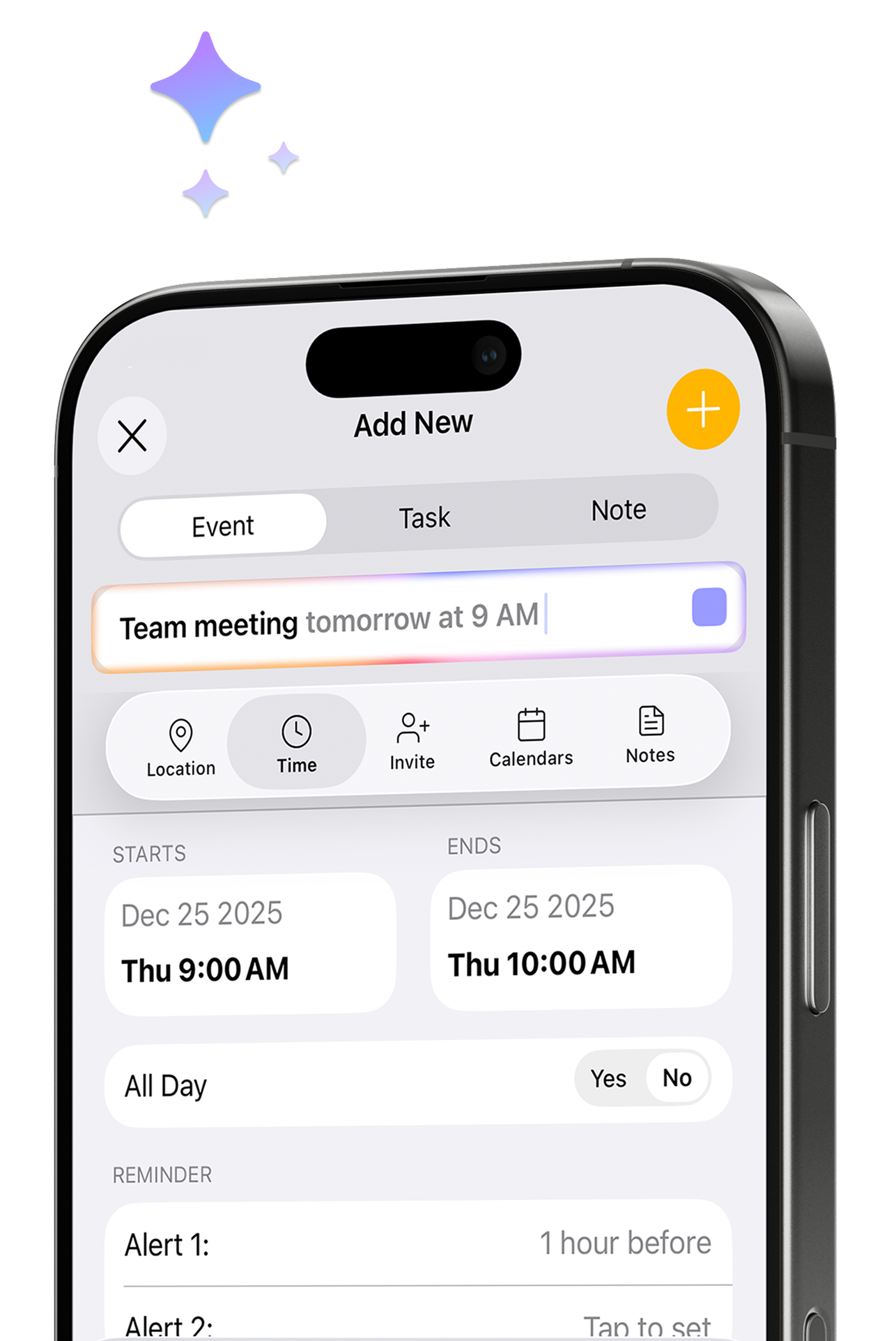
Taking advantage of this major iOS 18 feature, 24me introduces 24me Intelligence, a smart AI feature that interprets what you type in real-time. As you create tasks, events, or reminders, 24me automatically identifies and sets the correct date, time, and location. The user interface now includes visual indicators, such as a glowing effect around the item title box when 24me Intelligence is active. As relevant details are recognized, the corresponding fields blink to confirm the updates. For example, when typing “Client call at 10am tomorrow,” 24me instantly configures the event without needing manual adjustments. This feature significantly boosts productivity, especially for busy users managing multiple tasks.

24me Controls

With iOS 18, third-party apps like 24me can integrate directly into the Control Center and Lock Screen, offering instant access to key functions. This integration lets you perform actions like checking off tasks or setting reminders without opening the app. You can customize which controls are accessible, ensuring that your most-used features are always at your fingertips. This update creates a more streamlined and efficient workflow, enhancing productivity and making everyday interactions faster.
With this new update, 24me now offers quick-access controls integrated into the iOS Control Center and Lock Screen. The first control allows you to launch 24me instantly from these locations, while the second control lets you start creating a new task or event directly, saving time and enhancing ease of use.

App Icon Customization

iOS 18 introduces new ways to customize the home screen by altering third-party app icons. This feature allows you to align your apps with your preferred aesthetic or home screen design. You can adjust icon sizes (large or small) and select from Light, Dark, and Tinted modes. This level of personalization gives you a distinctive way to make your device feel uniquely yours.

24me leverages this enhanced customization capability, and offers the ability to customize app icons. Whether you prefer Light, Dark, or Tinted mode, 24me offers multiple options to match your device’s look and feel. This feature not only enhances the visual appeal of your home screen but also aligns 24me’s appearance with your personal style.

Apple Watch – Interactive Widget

iOS 18 brings interactive widgets to the Apple Watch, allowing users to take action directly from their watch face. This enhancement makes it easier to manage tasks and schedules on the go, reducing the need to open apps for quick interactions. Whether it’s checking off a to-do item or setting a quick reminder, these widgets are designed to keep you productive from your wrist.

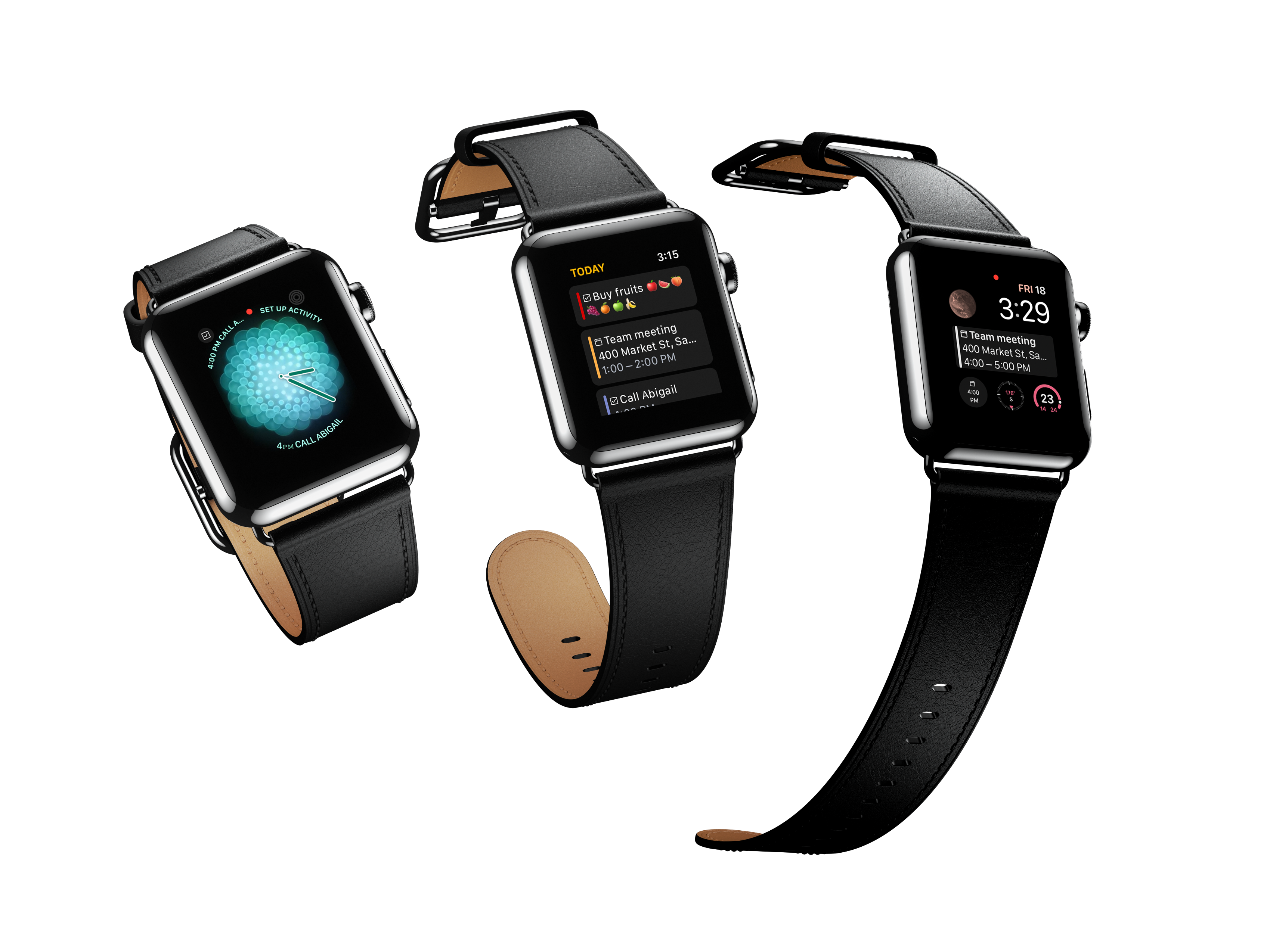
24me adopts this new functionality as part of today’s release. Stay productive on the go with interactive widgets on your Apple Watch – complete tasks directly from your watch face without even opening the app. All updates seamlessly sync with the 24me app on both your Watch and iOS device.
Conclusion

24me’s latest update, designed for iOS 18, offers a powerful set of tools to make managing your time more efficient and enjoyable. From the smart functionality of 24me Intelligence to quick-access controls and the ability to customize your app icon, these enhancements are all about boosting productivity and personalization.

We encourage all users to explore these new features and unlock the full potential of 24me—the ultimate digital assistant for iOS users looking to stay on top of their busy lives.

Streamline Back-to-School with 24me: Your Digital Planner

Today, we are announcing a new version of 24me, tailored for “Back to School”, with multiple new functionalities for students.

It’s back to school time and with that comes a whirlwind of challenges for students. Balancing multiple class schedules, assignments, extracurricular activities, and personal time are just some of the challenges that students have to deal with on a daily basis. 24me acts as your personal assistant – a sophisticated digital planner that helps you create a clear and updated schedule, and ensures you never miss your classes or assignments. With 24me, students can effortlessly organize their busy lives, manage their workload efficiently, and reduce the stress associated with a busy school schedule.

Let’s talk about which challenges 24me can help with.

Challenges for Students

Time Management

Students have to juggle numerous responsibilities, from attending classes and completing assignments to managing extracurricular activities and personal commitments. Typical calendar tools are often not best suited to manage both events, tasks and notes, leading students to use separate tools for different purposes, which is cumbersome and inefficient. This fragmented approach can result in missed deadlines and overlooked responsibilities. Developing strong time management skills is crucial for success, and a unified solution like 24me can help streamline this process by integrating schedules, tasks, and notes into one platform.

By integrating all of your schedules into one place, 24me makes it easier to manage classes, assignments, tasks, events, and notes. This digital planner/ assistant ensures that you no longer need to switch between different apps or calendars to stay on top of your responsibilities. For example, a student with a busy day made up of classes, a part-time job, and a club meeting wants to make it all work somehow: With 24me, students can effortlessly organize their busy lives and stay ahead of their responsibilities.

Procrastination and Forgetfulness

Traditional calendars often fall short because they primarily offer reminders for events, which is not sufficient for managing the complex array of tasks and notes students need to handle. The lack of comprehensive features makes it challenging for students to stay organized and prioritize their responsibilities effectively, leading to increased stress levels and missed deadlines. 

24me was built to tackle these types of challenges. It helps students stay on top of their responsibilities by offering multiple advanced features to ensure they never forget anything through the following features:

  • Time-Based Reminders: Notifications for classes, assignments, and events. With 24me, you can choose when to receive reminders for important upcoming events, ensuring you have enough time to prepare and get to your next class on time. 
  • Nagging Alerts: Persistent reminders for important assignments and tasks. Unlike regular reminders that only alert you once, 24me’s nagging alerts will continue popping up until you acknowledge and act on them. For instance, if you have a critical essay due, 24me will keep sending you reminders about it until you take action, ensuring you stay on track and don’t miss important due dates.
  • Procrastination Assistant: A smart feature that finds the best time during the day to remind you about past due tasks, helping you stay on top of your responsibilities. For example, if you’ve been putting off completing a tedious assignment, 24me will find a free slot in your schedule and remind you that you need to complete it during that time.
  • Location-Based Reminders: Part of our new update, location-based reminders are triggered based on your location, such as picking up supplies when near the bookstore or submitting a project when arriving to class. We will further cover this new feature in the next section of this article. 

Back to School: A Major Update from 24me

In the new update that we are releasing today across all platforms (iOS, Android, Computer/Web), 24me introduces new enhancements to help better organize schedules, classes, assignments, exams, and more. Here is a detailed overview about what we are announcing today:

Location-Based Reminders

24me mobile app – Location based reminders

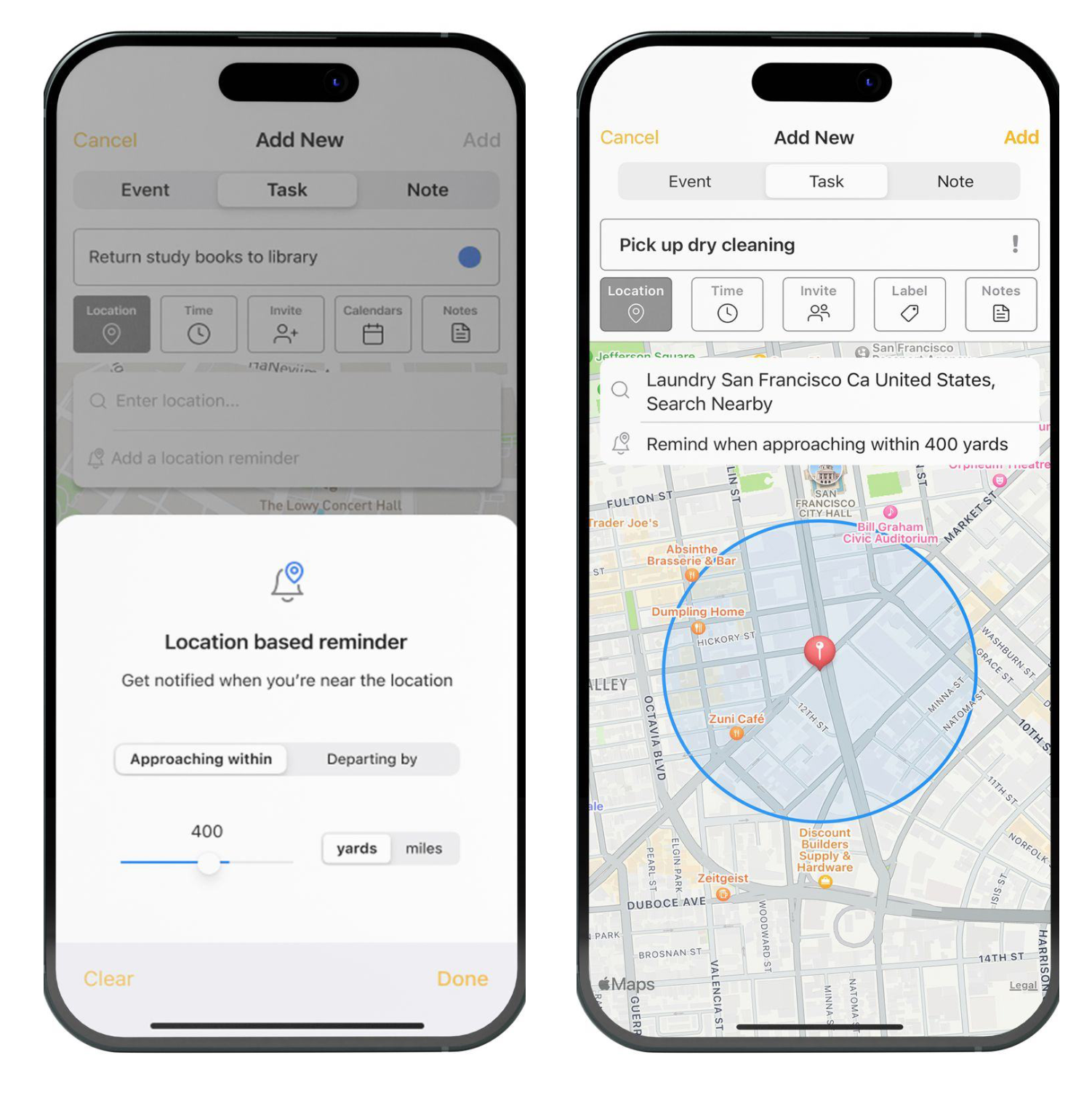
This feature allows you to set reminders that trigger based on your location. You can choose whether the reminder activates when you are approaching or otherwise departing a location, and specify the distance at which it should trigger. This is useful for receiving a reminder to buy snacks when you’re near the campus convenience store or remembering to submit a project as soon as you arrive on campus. Location-based reminders ensure you don’t forget tasks tied to specific places, helping you be efficient with your time and stay on top of your responsibilities.

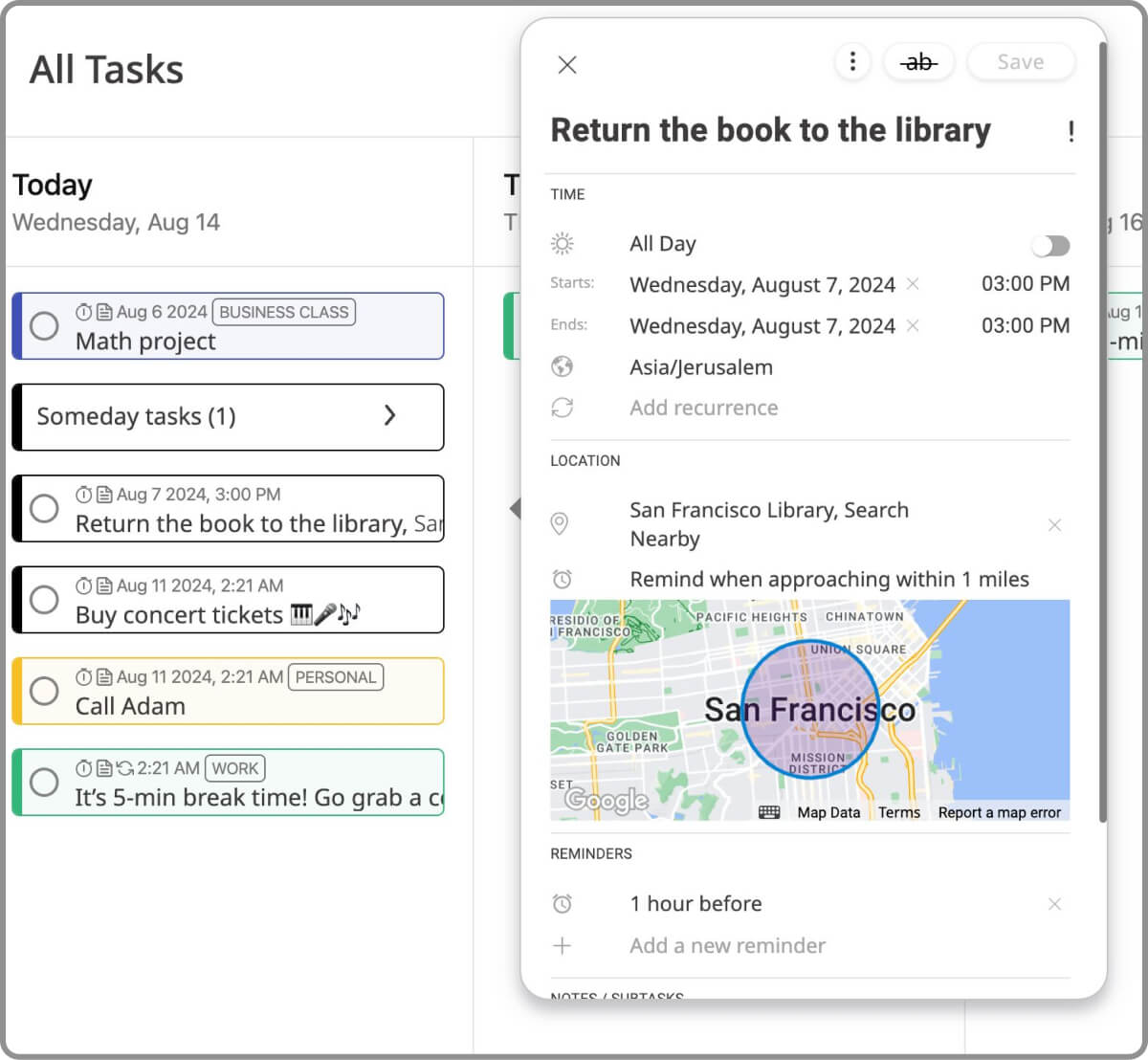
Location based reminders in 24me on the web
24me web app

Seamless Photo Attachment to Notes

24me - syncing notes between mobile and web
Syncing photos between the 24me mobile app and the web app

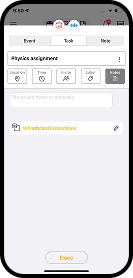
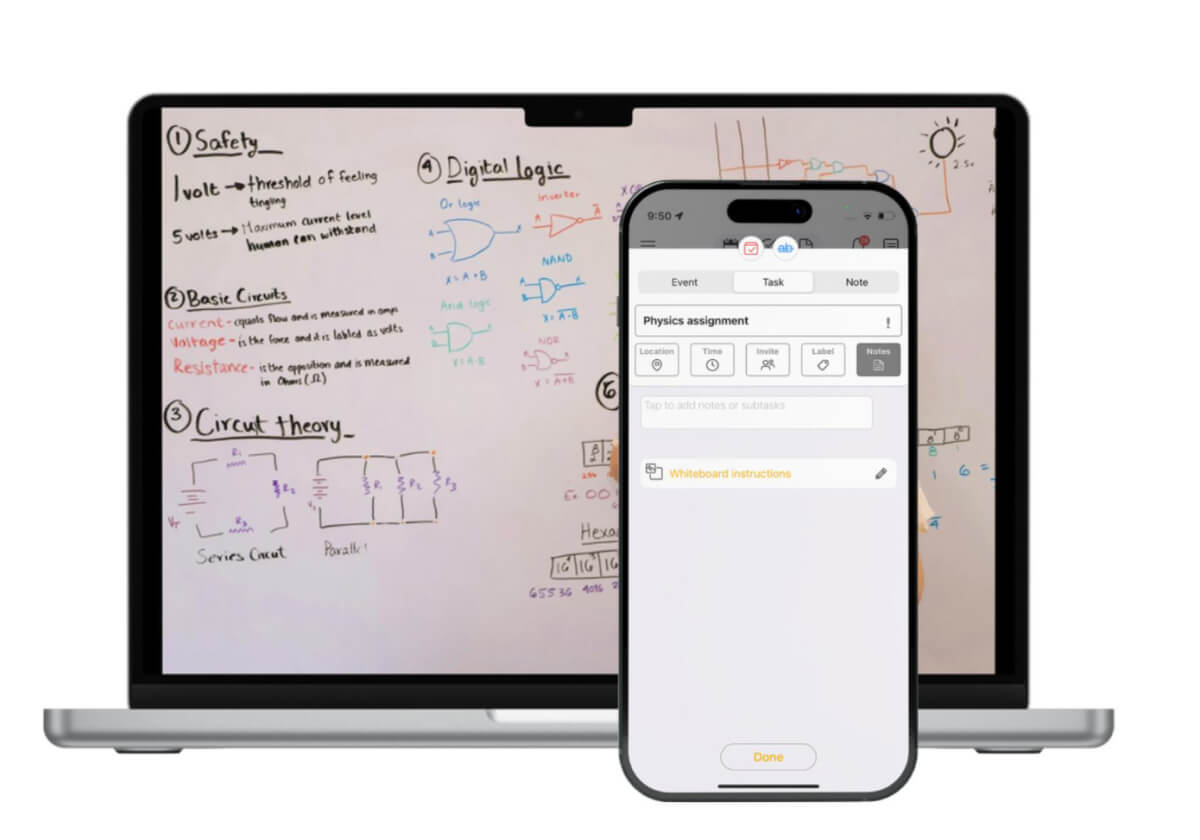
24me’s improved photo attachment feature allows you to capture assignments and important information on the go. Snap a picture of a whiteboard or assignment sheet with your mobile device, and it will be immediately accessible across all your devices. 24me works perfectly as a digital planner for students who need to capture and access information quickly and efficiently.

Enhanced Lists and Subtasks

24me iOS app - managing notes and subtasks
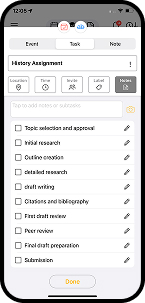
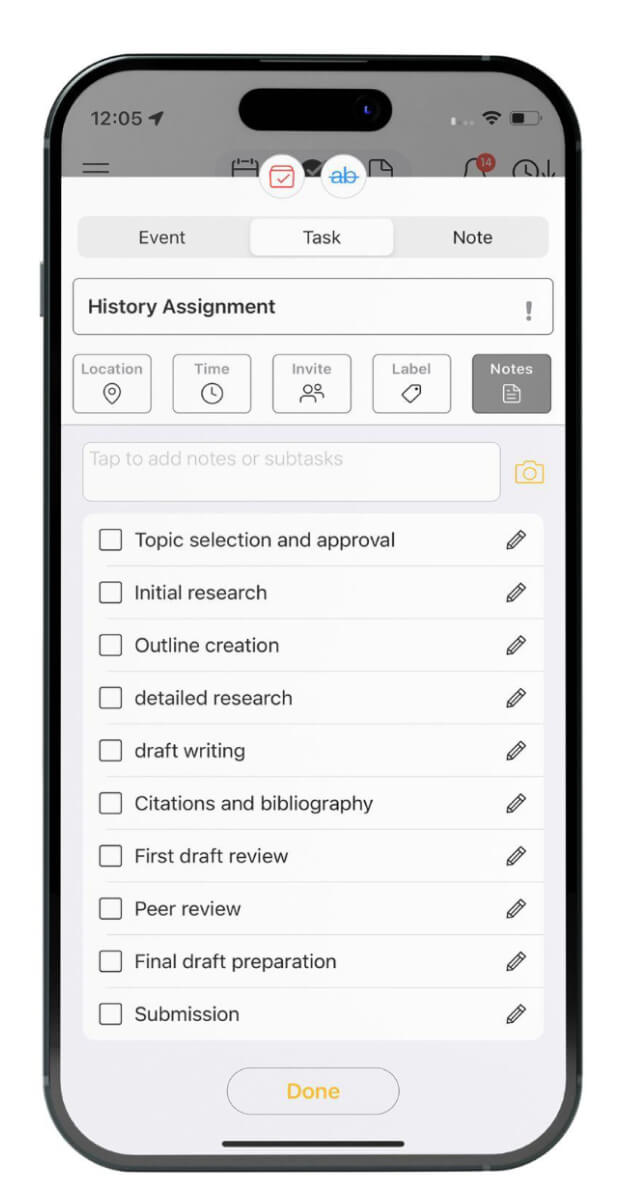
Notes and subtasks in the 24me mobile app

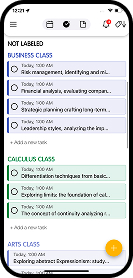
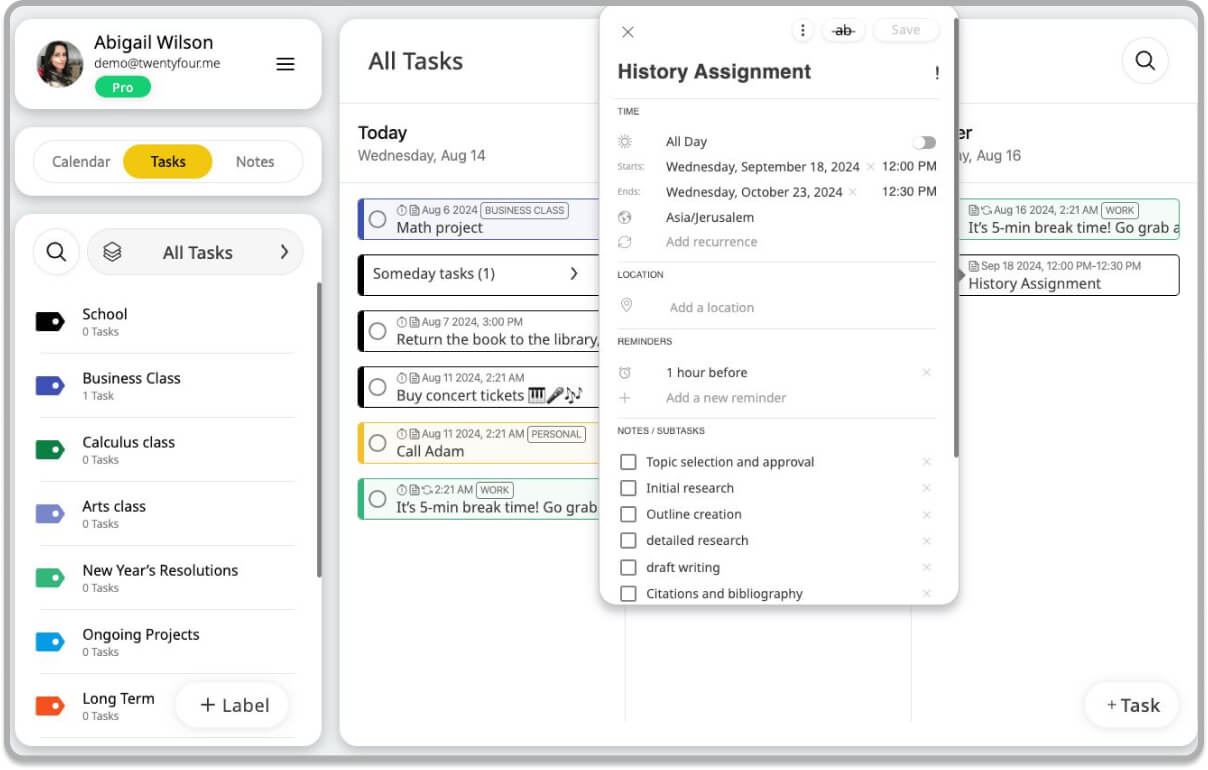
With 24me, you can add subtasks to events, turning to-do lists into dynamic and manageable plans. This is great for working on projects, as you can break the project down and work on it step-by-step. Additionally, organizing tasks with labels allows you to sort them into different categories based on classes or activities. You can color code each class, making it easy to maintain organization and understand which classes need to be your top priority. For example, in group projects, you can create subtasks for each team member’s responsibilities, ensuring that all parts of the project are efficiently completed on time.

Notes and sub tasks in 24me on the web
Notes and subtasks in the 24me web app

Organizing Tasks with Labels

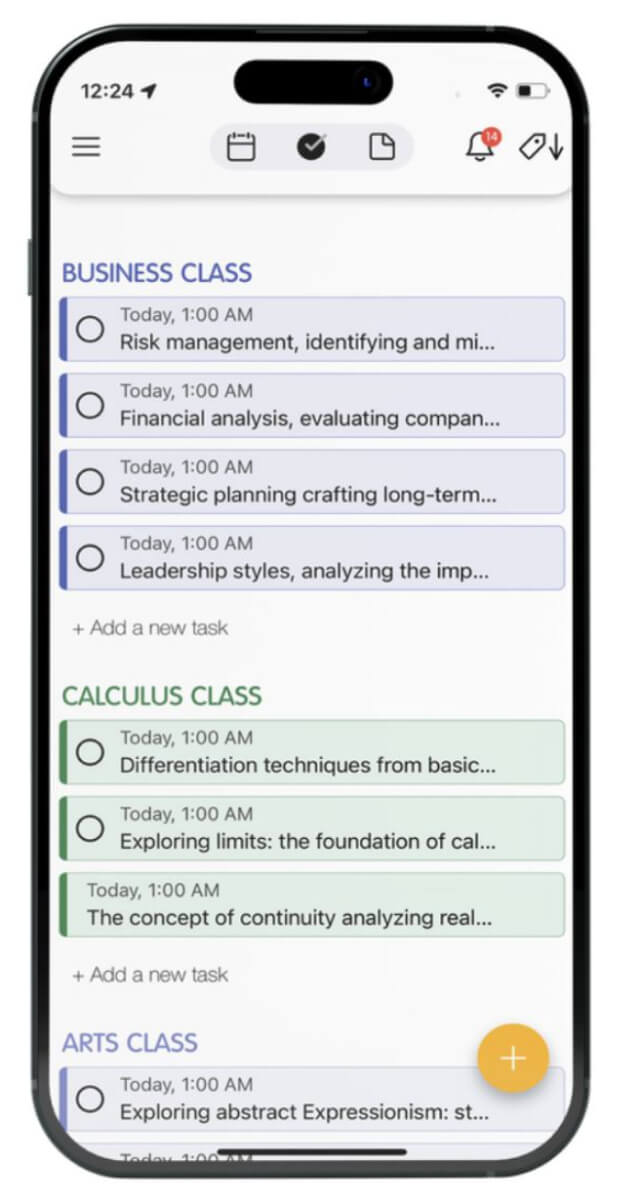
Organizing tasks with labels in 24me helps you stay organized by allowing you to sort tasks into different categories and projects based on classes or activities. This feature enables you to color code each class, making it easy to see at a glance which tasks belong to which class. In the context of back to school, you can use labels to maintain organization and prioritize your workload effectively. By understanding which classes need your top attention, you can manage your time better and ensure you stay on top of all your responsibilities.

24me iOS app - tasks with labels
Using tasks with labels in the 24me mobile app

Cross Platform Compatibility 

24me is available on web, iOS, and Android, ensuring that you have access to your schedules and tasks across all your devices. This cross-platform compatibility means you can seamlessly switch between devices without missing a beat. Whether you’re checking your schedule on your Mac in the morning, getting reminders on your iPhone throughout the day, or reviewing your tasks on your Android tablet in the evening, 24me keeps everything synchronized.

Conclusion

As the new school year begins, 24me is here to help you tackle the challenges of back-to-school time. With features like integrated schedules, advanced reminders, location-based alerts, seamless photo attachments, and enhanced lists with subtasks, 24me ensures you stay organized, manage your time effectively, and never miss an important task. Embrace the new school year with confidence, knowing that 24me has your back.

24me X – a massive version update of 24me which marks its 10th anniversary

Watch the video

We are announcing today 24me X – a massive version update of 24me which marks its 10th anniversary.

This significant milestone marks a pivotal moment for us as we introduce a comprehensive redesign and enhancement to 24me. Get ready to revolutionize your productivity experience, just in time to kick off the new year. Navigating daily life’s challenges while aiming to stay on top of everything is no small feat.

Here’s what you’ll discover in this version:

Revamped Calendar, Tasks, and Notes Screens

A sleek and intuitive interface that redefines how you manage your schedule, tasks, and notes. Every element has been redesigned to ensure a seamless and enjoyable user experience.

Introducing the 24me Web App

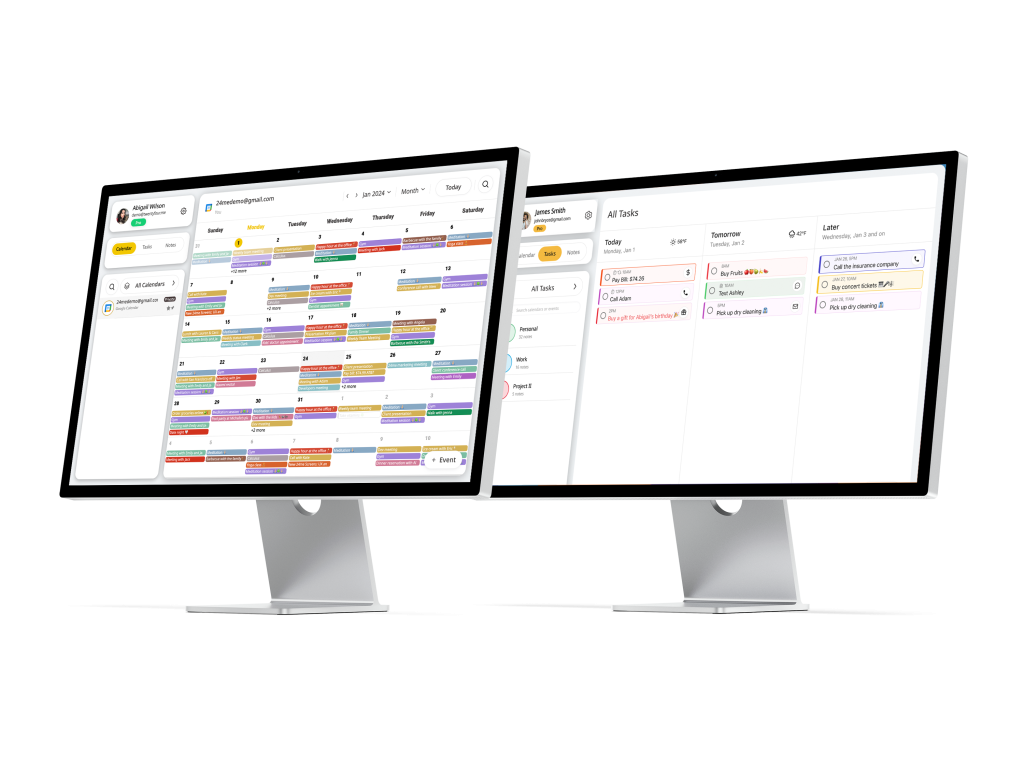
The top-requested feature is now a reality! With our new web app, unleash the power of 24me on your computer. Effortlessly manage your calendars, tasks, and notes seamlessly from all your devices.

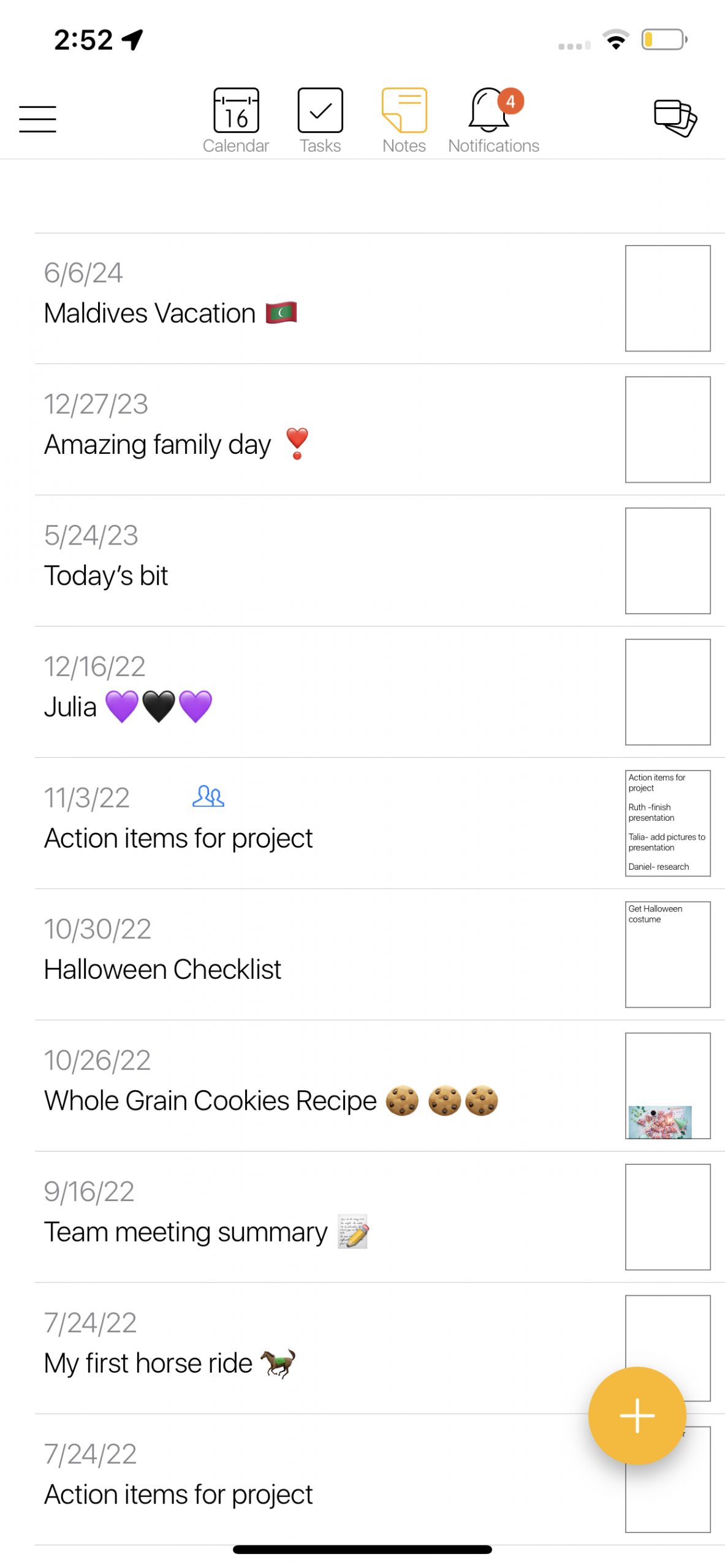
Images in Tasks and Notes – Now synced across all devices

Enhance your productivity by adding images to your tasks and notes. Capture the essence of your to-dos and ideas with visuals that seamlessly sync across all your devices.

More Features, More Power

Beyond the fundamental redesign, 24me X brings a massive array of new features and enhancements. Packed with tools and capabilities, this update empowers you in your daily tasks, ensuring you stay on top of things throughout the year.

As we launch 24me X, we extend our heartfelt gratitude for being part of our incredible journey over the past 10 years. Here’s to a decade of productivity and to many more years of simplifying, smartening, and organizing your life with 24me.

Get 24me X on the App Store , Google Play, and on the web: https://bit.ly/3RZFQGp

Wishing you a Happy New Year filled with success and joy!

The 24me Team

New Year, New Resolutions, The new 24me.

It’s common for people to make resolutions at the start of a new year as it’s seen as a fresh start and an opportunity to set goals and make positive changes in their lives. Some common resolutions include losing weight, exercising more, saving money. One of the most popular resolutions for people around the world is self improvement and increasing productivity.

We are excited to release today a new major version of 24me which focuses on increasing productivity while on the go. One of the most exciting additions of this new version is the completely redesigned Apple watch app.
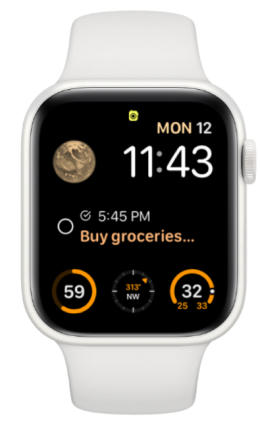
The new 24me watch app includes a sleek new design, support for all complications types for the watch faces, and action buttons to make calls, send text messages, and navigate right from the 24me app on your watch. This means you can stay organized and productive even when you’re away from your phone or computer.

But that’s not all! The new 24me version also includes several other features tailored for better tracking and management of tasks and goals. One of these features is the advanced reminders mechanism with new reminder sounds, which helps you stay on top of your to-do list and never miss an important task.

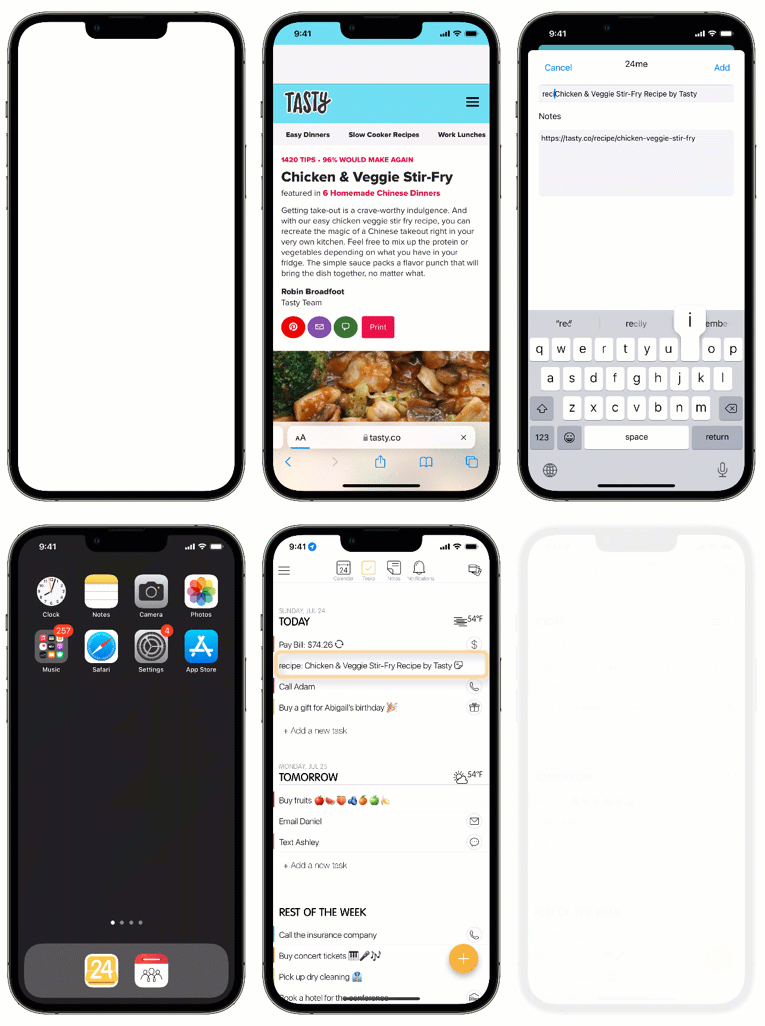
We’ve also added the advanced 24me keeper, which allows you to add tasks from external URLs, complete with reminders and labels. This means that any URL that contains an article to read, a recipe, or important information can be stored in 24me as a task, complete with due dates, reminders, and labels.

Finally, we’ve redesigned the Procrastination Assistant to keep looking for the right slot on your calendar to remind you about past due tasks. This helps you stay on track and avoid letting tasks fall through the cracks.

Overall, the new 24me version is a powerful tool for increasing productivity while on the go. Whether you’re using the Apple watch app, the advanced reminders mechanism, or the 24me keeper, you’ll find that this new version essential for staying organized and productive, no matter where you are.

What are your resolutions for 2023? We would LOVE to hear from you. leave us comments below with your thoughts, questions or wishes for this year.

Happy New and productive 2023! 🎉🎊

💛

The 24me Team.

How 24me Helps Organizing Your Life

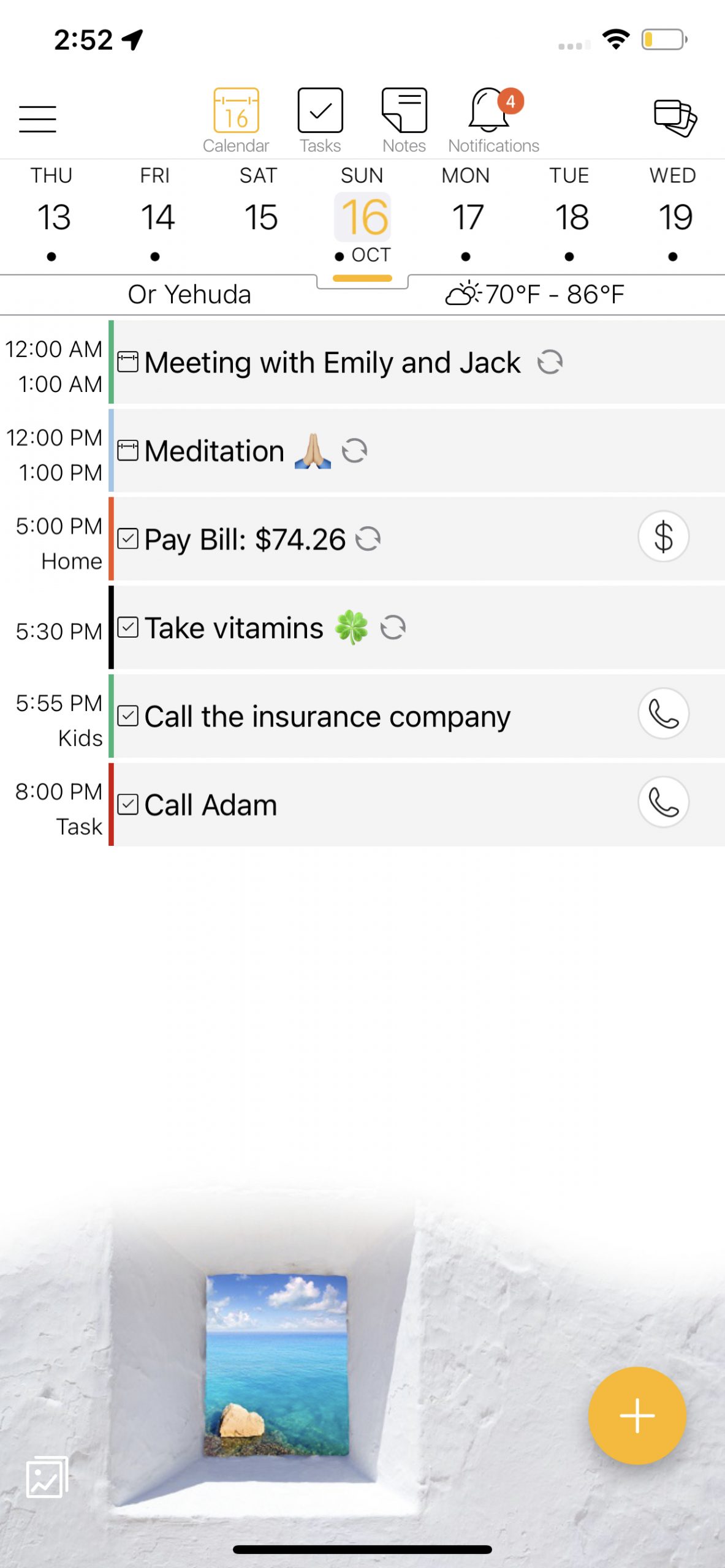
Managing life can be tedious. We are bombarded with all types of notifications and information  from emails to text messages, phone calls and other things that pop up and need our attention. It’s hard to keep track of what’s been done or what needs to get done. 24me is a personal assistant on the go which organizes the clutter. It’s one place to manage all calendars, to do lists, notes and personal reminders, and keeps you on top of things. Here’s how you can use it to get your life back in order.

Events, tasks and notes all in one place

24me keeps all of your stuff in one place, and eliminates the need to switch between multiple apps to get a sense of your schedule. It holds together all your calendar events from your different calendars, your to-dos, and all of your notes. Tasks with due dates will appear on the calendar at the right time, so that you will have a holistic view of your schedule.

Multiple calendar views allows for seeing your schedule ahead of time

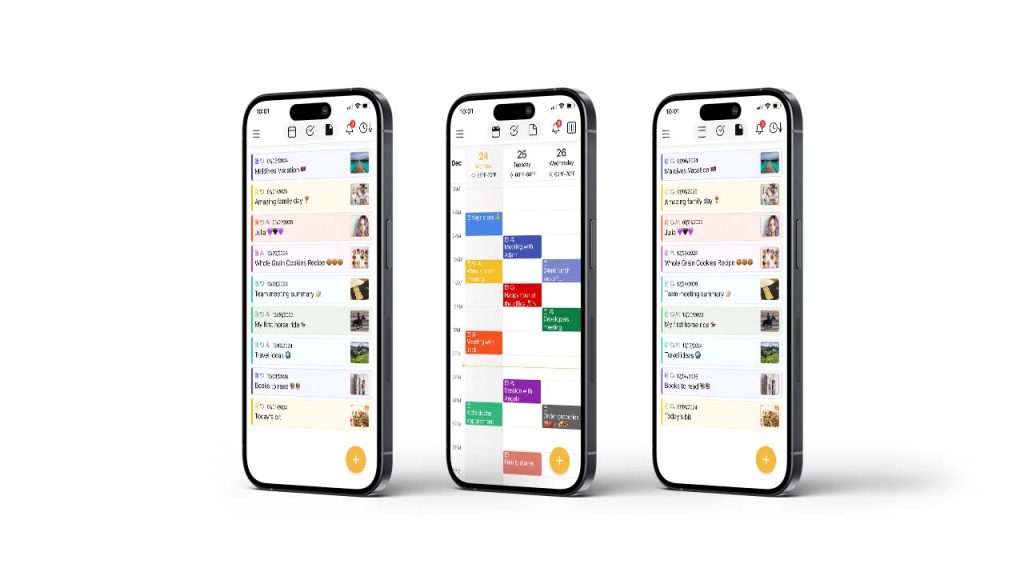
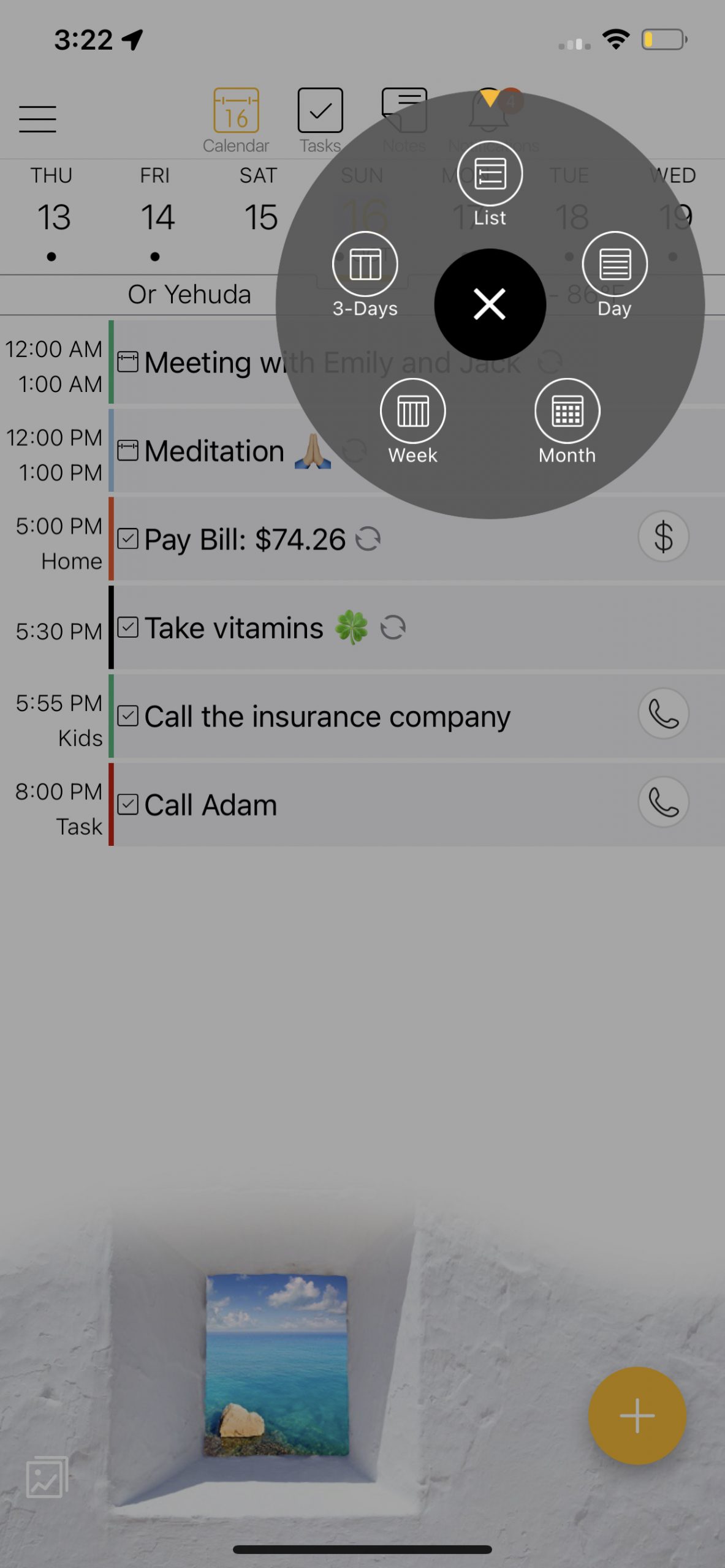
24me is one of the easiest ways to keep track of all the moving parts in your life, from meetings to attend to birthday celebrations. The default view on iPads is ‘Week view’ and on iPhones it is ‘List view’. Sometimes you want to check on things further out in your schedule, so you may want to change your calendar view. 24me has five different calendar views so you can check out what’s coming up in the next month, week, 3-Days, day with the option of viewing it as a list. You can also see your schedule as a landscape week view. To return to today’s date, tap on the calendar icon on the top bar and it will bring you back to today’s date.

Syncs across all devices

With 24me, you can sync between your mobile phone, tablet, iPad, M1 laptops and even your Apple Watch. This allows access to your events, tasks and notes fro, everywhere, keeping you on top of your schedule anytime everywhere. Agenda for tomorrow / agenda for today

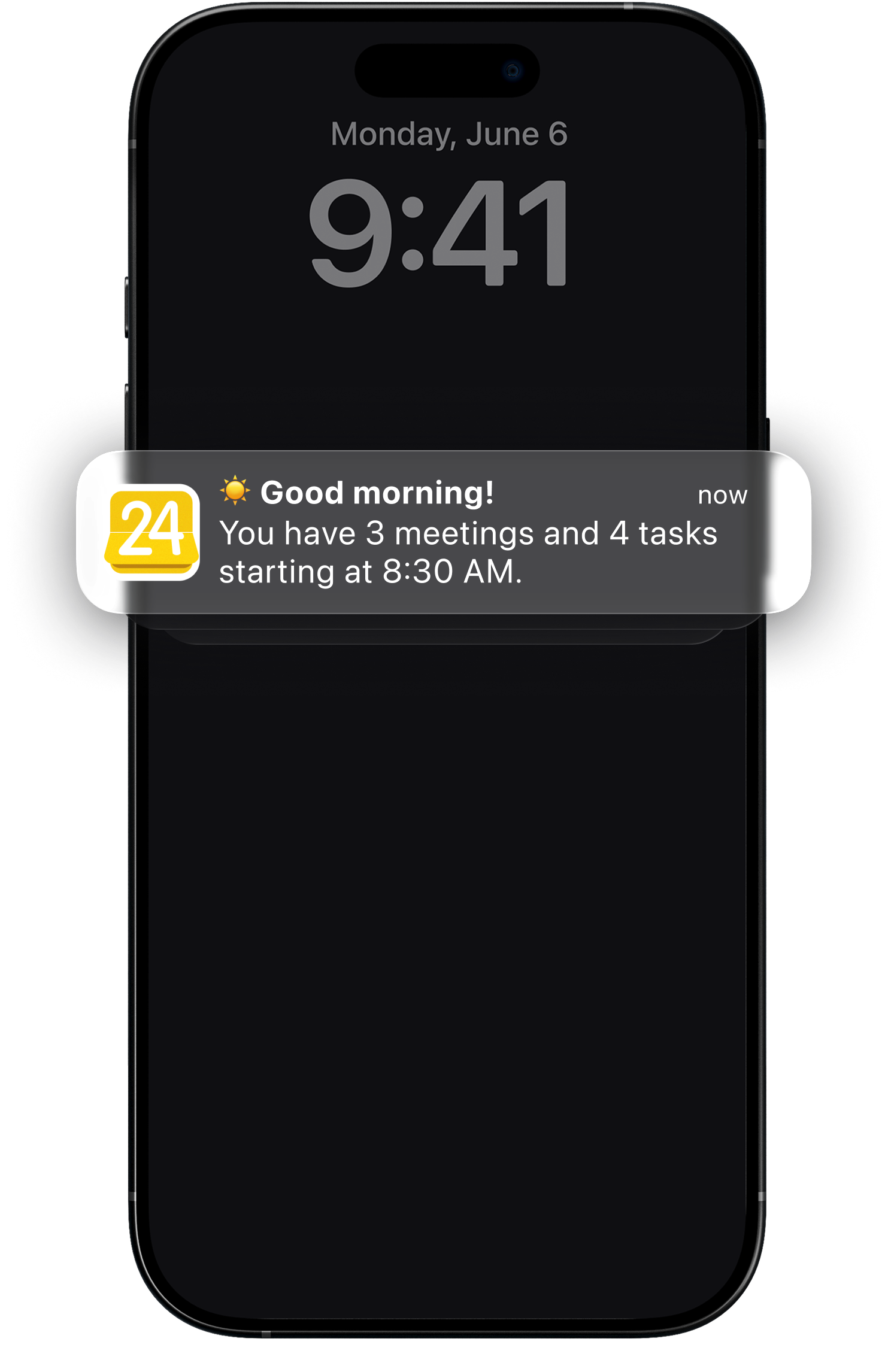
Since 24me acts as an assistant, it helps make sure you will know what’s coming up next. That’s why one of 24me’s favorite features by our users is the ‘Daily Agenda’. This is a customizable feature which lets you set the right time to get a special notification the night before and the day of, with a snippet of your schedule – when does your first meeting that day starts, how many meetings and tasks you have for that day.  

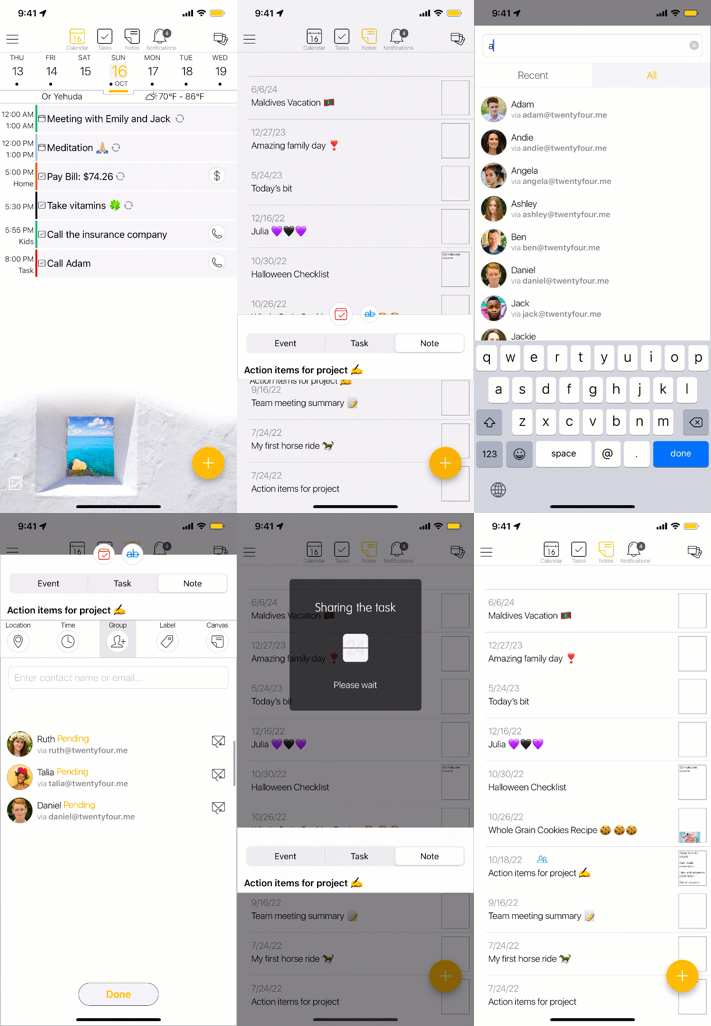
Share events, tasks and notes with the people around you

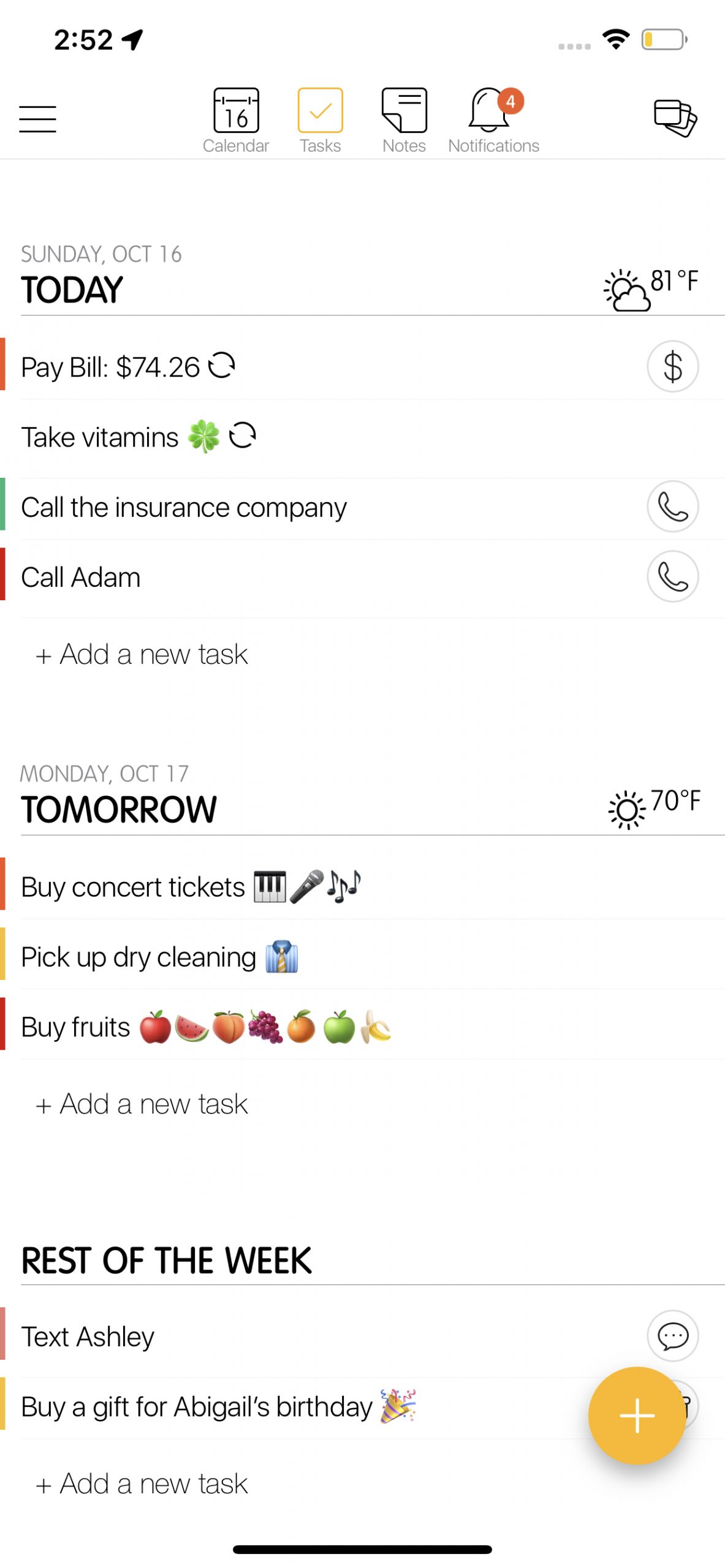
There are tasks and assignments you need to collaborate with a team or a group of people. 24me has a special option, specifically for this instance:  share tasks with a group of people, like a grocery list shared with your spouse, an assignment shared with your team classes or a shared activity for a group of friends. You can also share notes and of course events. All the data on the task/note will be synced in real time between all participants. 

Complete your tasks with automatic completion buttons

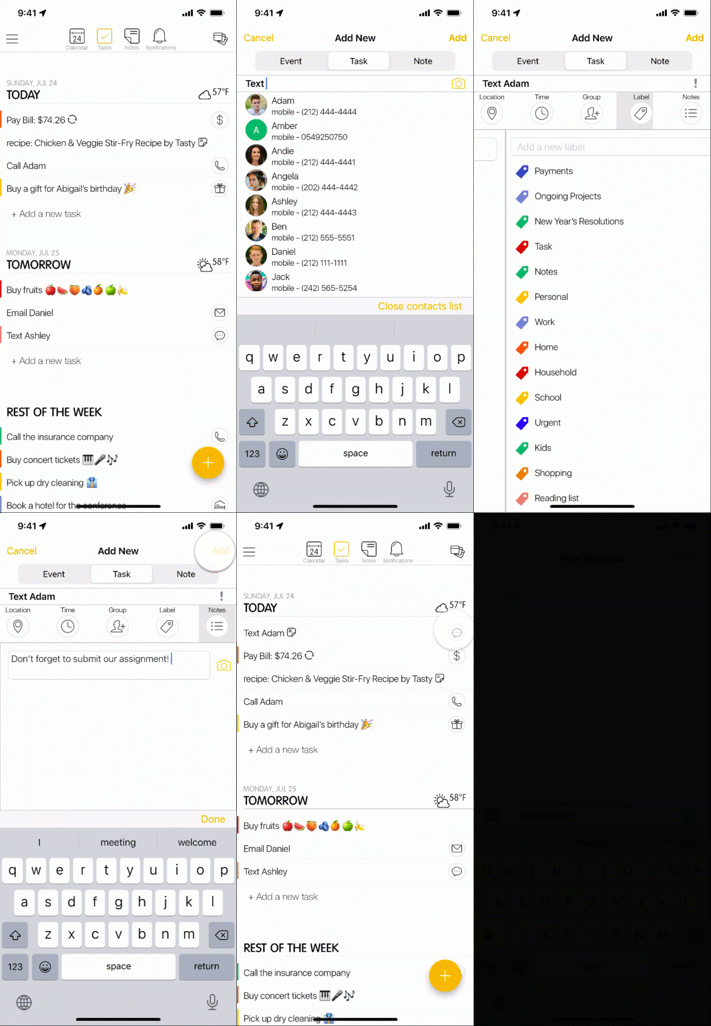
24me enables flexibility in scheduling tasks ahead of time. You can prepare a text message to be scheduled, an email that you want to be sent or anything else which is time sensitive.  Simply add a call, text or an email task to 24me, insert the text content, define the time of reminder and when the time comes, with the simple tap of a button , the email or text will be sent or the call will be made. Same goes with scheduling reminders for payments, booking hotels or sending gifts for special occasions (this specific feature is only available in the USA).

Procrastination fighter – helps manage time well

We all have some procrastination issues we need to work through and sometimes we just need a little “push” to complete things on our lists or finish tedious tasks. With 24me‘s procrastination fighter, you’ll be able to tackle those procrastination issues head-on, and get your life back on track so that you can be comfortable with your time. The procrastination fighter sends you notifications to let you know you have a free slot on your schedule, so you can complete your overdue tasks at that time. 

Labels 

We all know that having many tasks can be overwhelming. That’s why we’ve added the ability to add labels to tasks. This way you can organize each of the tasks under a specific label. When you need to look for your school related tasks, simply look under the school label. 

On the 24me task screen, you can choose to see tasks per time or per label. All tasks will be sorted into different buckets of labels. You can also categorize tasks into multiple labels, for example, ‘Buy groceries’ can be labeled with: ‘household errands’, and ‘shoppings’. Once you are using the Label mode on the Tasks screen, you will see that task under both those labels. This is a perfect way to organize your to-do lists and tasks. 

24me is here to help you get back on track. From staying on top of your schedule to managing your to-dos, you’ll have a trusted companion at your side throughout the day. If you haven’t already, make sure to download it now! https://bit.ly/3rpUs5F

We would love to get your feedback and hear your thoughts. Which of the features of 24me helps you most?  Let us know in the comments below.

💛

The 24me team.

24me Receives an Amazing iOS 16 Update With New Lock Screen Widgets ✨

On September 12, Apple will release the new iOS 16. Towards that big launch, 24me is receiving today an amazing iOS 16 update with new Lock Screen Widgets ✨

iOS 16 will be out with a redesigned Lock Screen, which offers greater customization, such as: choosing widgets, customizing the colors and using emojis, font styles, photos, or different wallpapers. As always, 24me is one of the first apps supporting the new iOS 16 version by Apple, allowing you to enjoy the advancements Apple brings in its latest operating system.

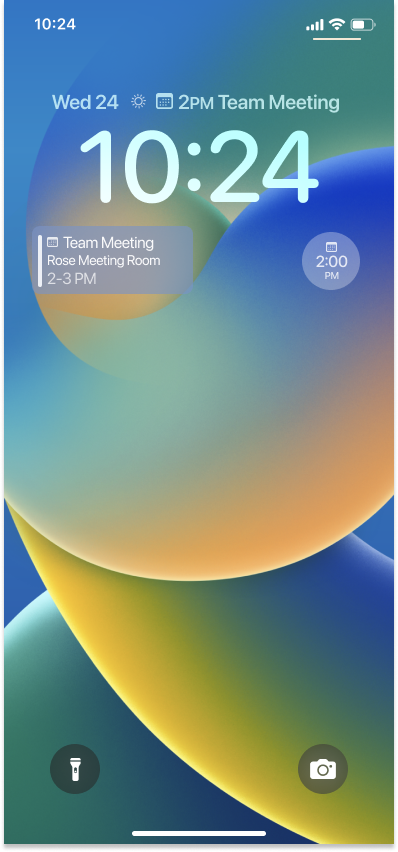
You can download the latest 24me version from the App Store, supporting Lock Screen Widgets for iOS 16. This new version allows you to place 24me widgets above the clock or underneath it.

What Lock Screen Widgets are

Lock Screen widgets are minimalistic versions of Home Screen widgets, which are focused on providing glanceable information. As mentioned above, Lock Screen widgets can be placed above the clock or underneath it, and they don’t replace the regular widgets which are places on the home screens (as opposed to the lock screen).

What 24me has to offer with the new iOS 16

Get a quick glance on your next event, task or note with 24me Lock Screen widgets, without the need of opening your phone and the app. See what’s next on your schedule quickly and be on top of things.
How To Use Widgets On iOS 16 On Your iPhones And iPad

1. Unlock your device.

2. While on the lock screen, touch and hold an empty area.

3. Tap the Customize button on the bottom of the screen. Your lock screen will enter an edit mode.

4. Tap on either of the two boxed widget areas: below the time display or above it.

5. A screen with widgets selection opens. From that screen, choose 24me, and select one of the available widgets.

6. Close the Widgets selection screen, and tap on the Done button at the top.

7. Confirm your selection and you are D O N E!

As always, we would be happy to hear your feedback about our new widgets for iOS 16. Let us know in the comments below what you think, and if you are happy using 24me‘s widgets on your lock screen.

💛

The 24me team.