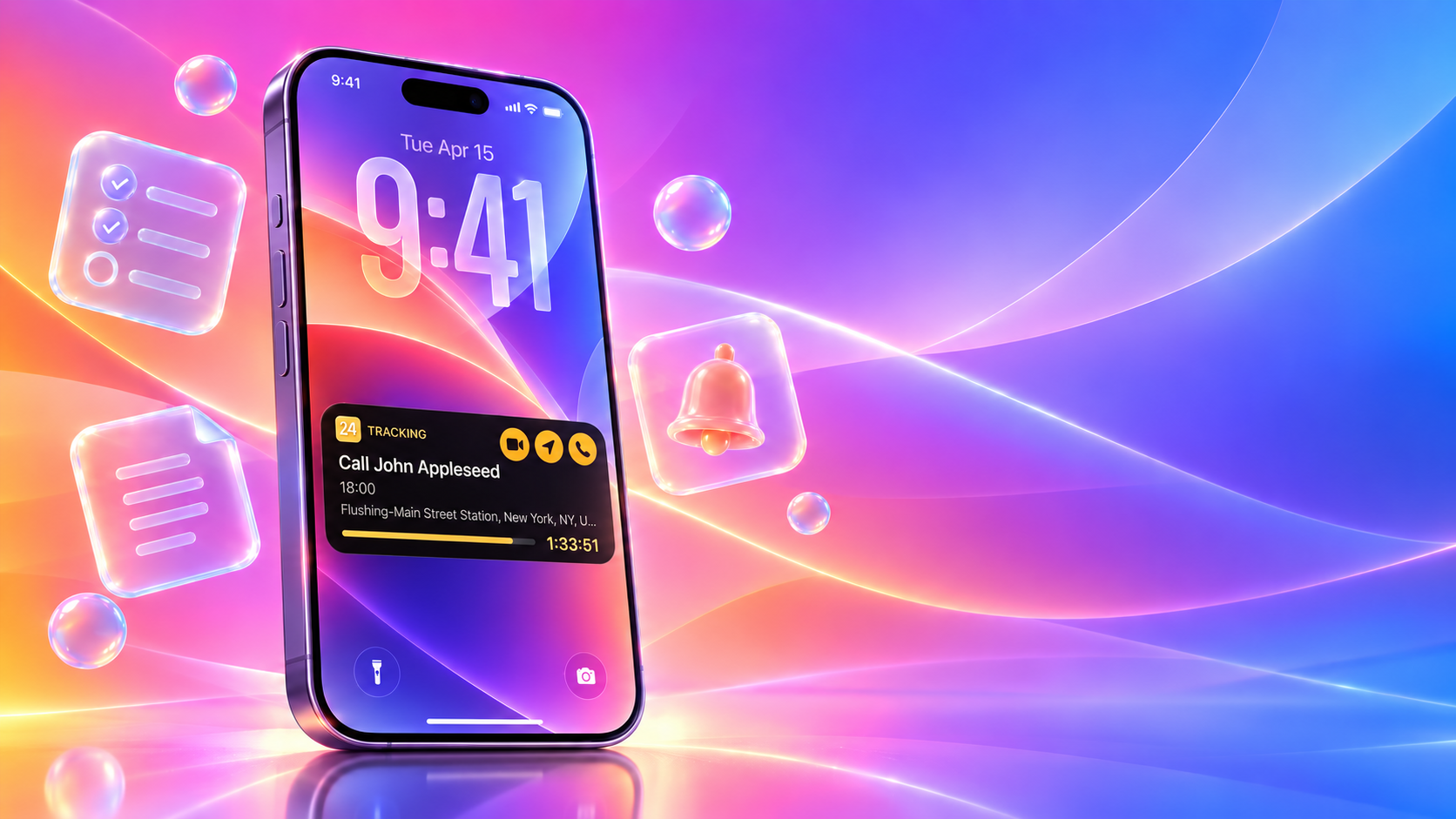
At a Glance: What’s New in 24me for iOS 27?
- Live Activities & Dynamic Island – “Track Live”: Turn reminders into real-time countdowns with contextual one-tap actions for meetings, navigation, calls, emails, texts, and more.
- Apple Intelligence & App Intents: Create and access calendar events, tasks, notes, and reminders through Siri, Spotlight, App Shortcuts, and Shortcuts.
- Liquid Glass: A refined iOS 27 interface designed for clarity, depth, and native integration.
- Deeper Apple ecosystem integration: Interactive Widgets, rich Notifications, Apple Watch, Lock Screen experiences, Siri, Spotlight, and Shortcuts.
24me, the all-in-one smart personal assistant for calendar, tasks, notes, and reminders, is ready for iOS 27. The new release builds on 24me’s proactive productivity experience with Live Activities, Apple Intelligence, App Intents, Dynamic Island integration, and a refined Liquid Glass design — bringing your schedule and next actions even closer to where you need them across iPhone.
The Next Generation of Proactive Assistance
Most productivity apps suffer from a fundamental flaw: they are passive. They sit on your home screen, waiting for you to remember to open them, browse through lists, and manually tap around to find a meeting link or check a deadline.
This constant context switching creates mental friction. Whether you are an executive moving between client calls, a working parent juggling school pickups and doctor visits, or a student balancing exams and projects, you don’t need another list to manage – you need an assistant that anticipates your next move.
24me was designed from the start to be more than a place to store tasks and events. As a proactive personal assistant, it already helps users act on their day through smart reminders, contextual alerts, and one-tap completion actions tied to tasks and events — whether that means calling someone, sending an email or text, buying a gift, joining a meeting, or taking the next relevant action directly from a notification. With iOS 27, that proactive experience becomes even more powerful. Live Activities, Apple Intelligence, and App Intents bring 24me deeper into the system, surfacing timely information and actions across the Lock Screen, Dynamic Island, Siri, Spotlight, and Shortcuts.
24me Live Activities for iOS 27: Introducing “Track Live”
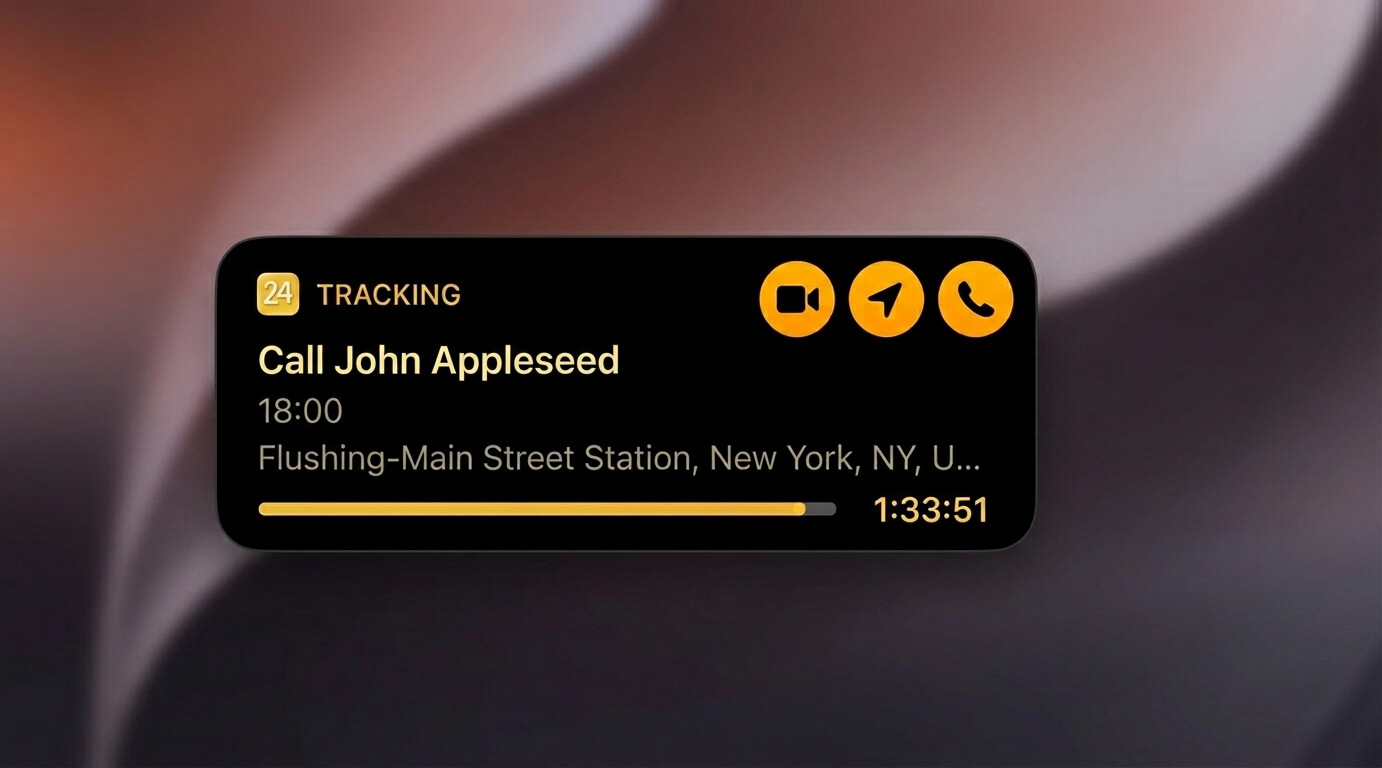
We’ve all experienced the pre-meeting scramble: a calendar notification alerts you that a meeting starts in five minutes, forcing you to unlock your phone, open the calendar, tap the event, locate the video link, and wait for the meeting app to load.
24me’s new Track Live feature eliminates that entire sequence.
How It Works
When a reminder notification arrives on your Lock Screen:
- Long-press the notification to expand its interactive options.
- Tap the “Track Live” action button.
- 24me immediately promotes the reminder to a persistent Live Activity on your Lock Screen and a persistent Live Activity on your Lock Screen and in the Dynamic Island.
Real-Time Countdowns and One-Tap Execution
Once active, Track Live provides a continuous, real-time countdown to your event. More importantly, it surfaces immediate, contextual action buttons directly on your display:
- One-Tap Video Calls: Launch directly into Zoom, Microsoft Teams, or Google Meet without searching through calendar invite notes.
- Instant Navigation: Tap once to launch turn-by-turn directions in Apple Maps, Google Maps, or Waze based on the event’s saved address.
- Direct Communication & Action-Linked Tasks: Execute your to-dos directly from the Lock Screen. For tasks that involve calling, emailing, or messaging someone, 24me automatically surfaces dedicated Call, Email, or SMS action buttons on the Live Activity card.
Whether you are catching a flight, heading to a client presentation, or picking up the kids from soccer practice, Track Live ensures that the tools you need to take action are visible and accessible without unlocking your phone.
Apple Intelligence & App Intents in 24me: Siri, Spotlight and Shortcuts
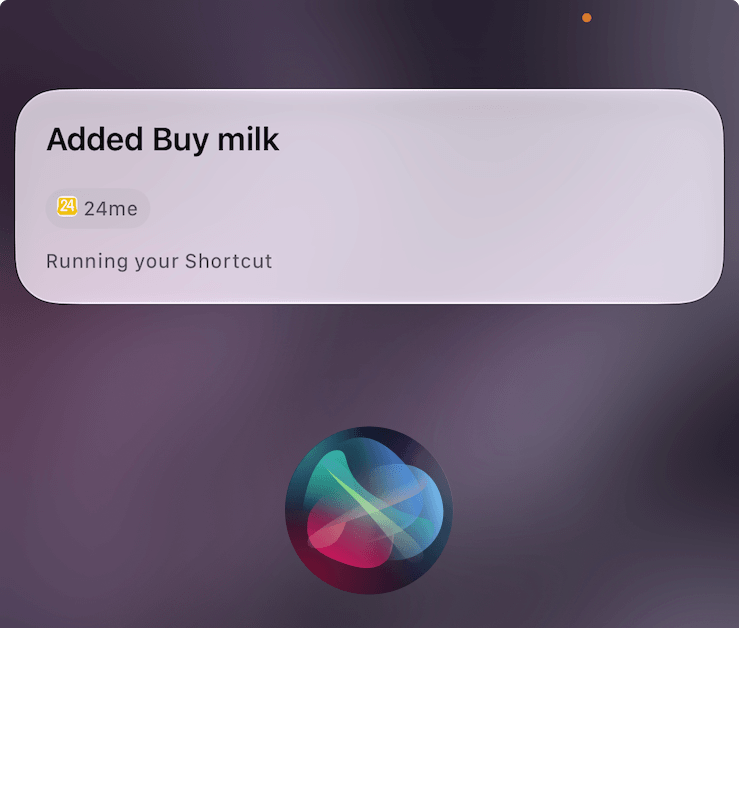
Voice assistants and search tools are only as useful as their ability to take action. With iOS 27, 24me expands its App Intents integration for iOS 27, making 24me actions and content available across Siri, Spotlight, Shortcuts, and Apple Intelligence experiences. allowing the system to understand both what you need to create and what you need to retrieve.
Natural, Conversational Creation24me’s Liquid Glass Design for iOS 27
You no longer need to format commands rigidly. Simply speak naturally to Siri or type into Spotlight to log entries instantly:
- “Add a task in 24me to review the quarterly budget this Friday at 3 PM.”
- “Create an event in 24me: Doctor appointment next Tuesday morning at 10.”
- “Take a note in 24me: ideas for the community fundraiser.”
Apple Intelligence accurately parses dates, times, and context, categorizing the entry into your calendar, task list, or notes without requiring you to launch the app.
Contextual Search and Retrieval
App Intents work in reverse as well. You can query your schedule and workload across the operating system:
- Ask Siri: “What high-priority tasks do I have left today in 24me?”
- Ask for context: “What’s my next meeting in 24me?”
- Type a client’s name into Spotlight Search to instantly surface related upcoming meetings, assigned follow-up tasks, and shared notes in a unified view.
- Build custom automations in the Shortcuts app that trigger 24me actions based on your location, battery status, or Focus modes.
24me’s Liquid Glass Design for iOS 27
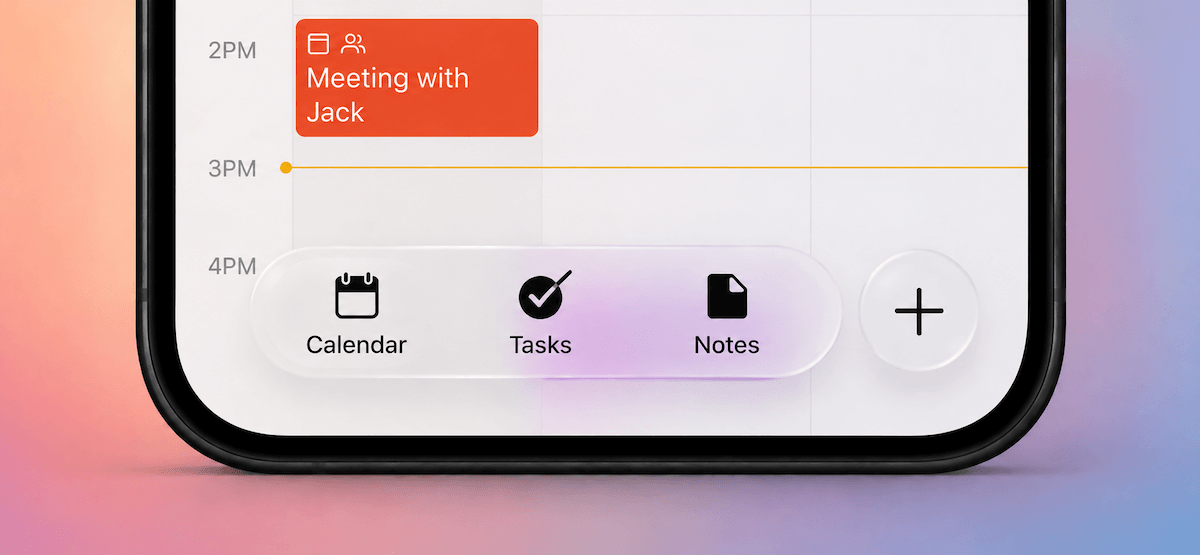
24me was an early adopter of Apple’s Liquid Glass aesthetic. For iOS 27, we conducted a component-by-component audit across the entire app, refining every element so visual depth never compromises daily readability:
- Calibrated Refraction: Adjusted blur radius and opacity so ambient wallpaper colors shine through without hurting text clarity.
- Precise Edge Highlights: Added subtle, light-reactive borders to cleanly separate overlapping event cards and lists without visual clutter.
- Optimized Contrast: Re-indexed typography to ensure crisp readability and accessible contrast in both Light and Dark modes.
- Tactile Micro-Interactions: Paired fluid native animations with haptic feedback to make scheduling feel natural and responsive.
iOS 27 Widgets, Notifications and Apple Watch Integration
24me’s iOS 27 update strengthens its integration across all Apple touchpoints, ensuring that personal and professional commitments remain synchronized across your daily routine:
| Platform / Tool | Capability | Real-World Benefit |
| Interactive Widgets | Complete tasks or toggle views directly from your Home Screen or Lock Screen. | Check off items or browse your day without opening the application. |
| Apple Watch App | Glanceable complications, Smart Stack support, and wrist notifications. | Review upcoming reminders and trigger voice entry on the go. |
| Rich Notifications | Expandable alerts with quick-response buttons. | Snooze, complete, or reschedule tasks directly from banner notifications. |
Frequently Asked Questions
What iOS 27 features does 24me?
24me for iOS 27 supports Live Activities on the Lock Screen and Dynamic Island, App Intents for Siri, Spotlight and Shortcuts, Apple Intelligence experiences, Liquid Glass design, Interactive Widgets, rich Notifications, and Apple Watch integration.
How do I activate “Track Live” on my Lock Screen?
When you receive a 24me reminder notification, long-press the alert and tap the “Track Live” button. This promotes the reminder to an active Live Activity and Dynamic Island widget featuring a live countdown and one-tap action buttons.
Which video conferencing apps are supported by Track Live?
24me’s one-tap video action automatically detects meeting links and launches calls in Zoom, Microsoft Teams, and Google Meet directly from your Lock Screen.
Can I use Siri to find existing 24me tasks in iOS 27?
Yes. Through Apple Intelligence App Intents, you can ask Siri contextual questions like “What high-priority tasks do I have left today in 24me?” or search for client meetings directly through Spotlight Search.
Do these new features require an additional purchase for existing users?
No. All iOS 27 platform features—including Track Live, App Intents, and the Liquid Glass interface—are included in the latest app update available on the App Store.
Reduce Mental Load and Stay Focused
True productivity isn’t about packing more tasks into your day, it’s about eliminating the friction that pulls your focus away from what matters.
By uniting Live Activities, Apple Intelligence, and a refined Liquid Glass interface, 24me for iOS 27 turns your iPhone into an active partner in your daily routine. You spend less time navigating software and more time executing your plans.
Get the Update
24me for iOS 27 is available now on the App Store.
- Existing Users: Update your app via the App Store to unlock the new iOS 27 capabilities immediately.
- New Users: Download 24me on the App Store to experience intelligent, all-in-one personal assistance.