Your day has a lot of moving parts. A meeting to prepare for. A bill to pay. An idea you want to keep. Sometimes you need a quick look at what’s next. Sometimes you need room to see how it all fits together.
24me for iPhone Duo is available now, bringing your calendar, tasks, notes, and reminders together in a smart personal assistant designed to make the most of the new foldable iPhone.
With iPhone Duo launching today, we’re introducing adaptive layouts, a spacious calendar, side-by-side task and note editing, and a refreshed editing experience. Folded or unfolded, 24me gives your plans room to breathe.
A personal assistant that adapts as you fold and unfold
A foldable phone changes how much space you have to work with throughout the day. You might check a reminder on the outer display while heading out, then open the phone when you have a moment to plan.
24me’s resizable layouts adapt to those different screen sizes and orientations. Navigation adjusts with the layout, keeping your calendar, tasks, and notes close at hand. The app opens on the view you last used, so you can return to the way you prefer to organize your day.
The idea is simple: a quick check when that’s all you need, and a wider workspace when you want to spend more time with your plans.
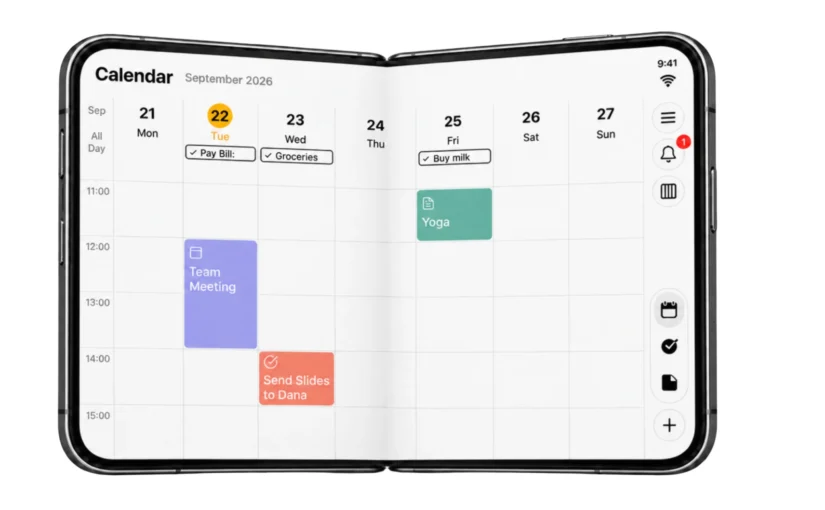
A calendar app for iPhone Duo, with room for the week
Planning is easier when you can see the time around an appointment as well as the appointment itself.
24me’s spacious calendar makes use of the larger inner display to show your schedule across the week, with events and tasks together. Review a team meeting, a personal appointment, and the tasks between them in one place.
That broader view helps when you’re deciding where something fits. Before adding another commitment, you can look at the shape of the week and see what you’ve already planned.
Your calendar remains part of the same personal planner as your to-do list, notes, and reminders. There’s room for the whole day—from work commitments to the small things you want to remember at home.
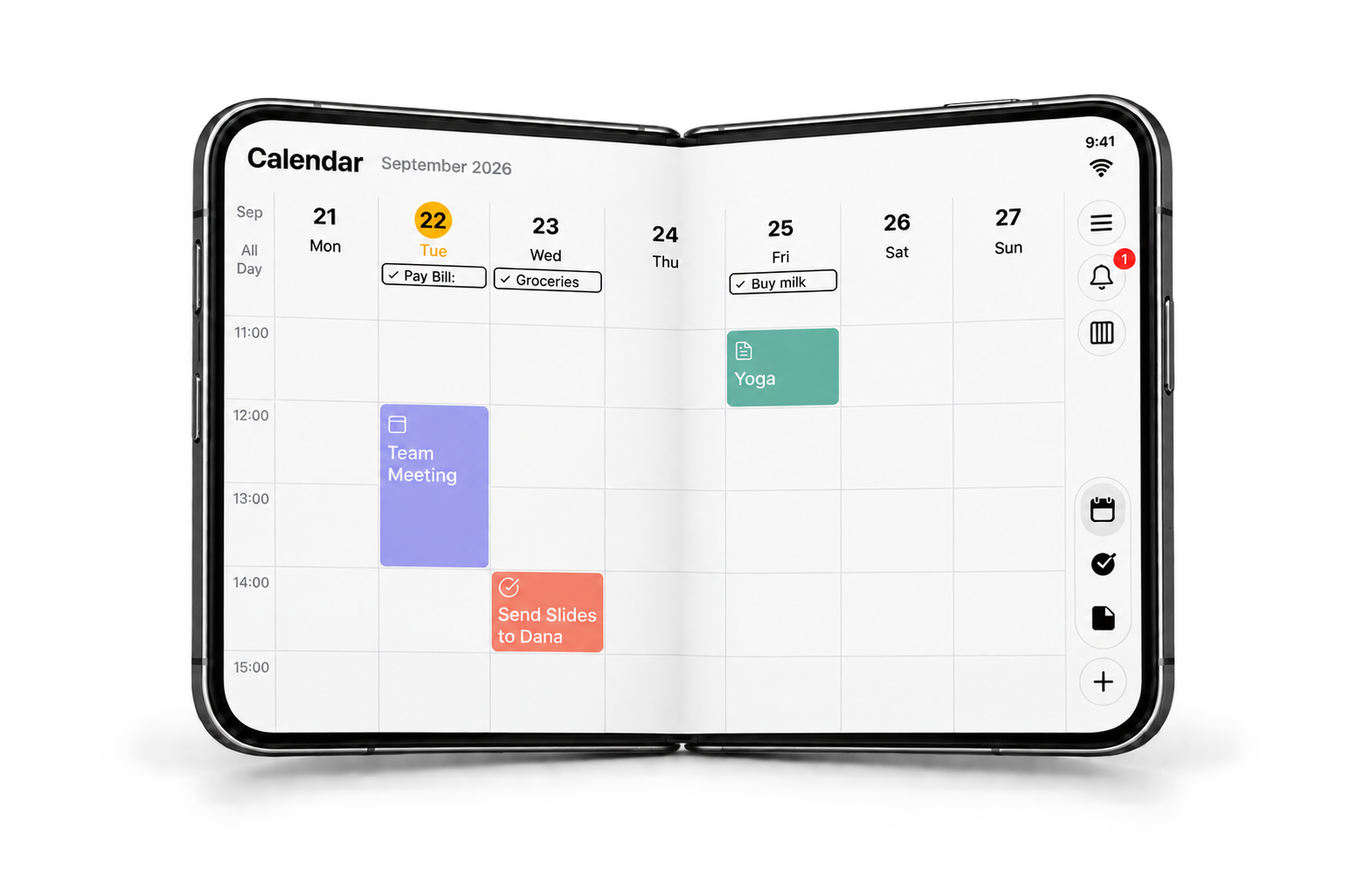
24me on the open iPhone Duo.
Your to-do list and the details, side by side
On the closed iPhone Duo, your task list makes it easy to check what’s coming up. Open the device, and the expanded screen gives you room to keep the list visible while viewing and editing a selected task beside it.
Suppose you’re reviewing tomorrow’s errands. You can open “Buy groceries,” adjust its reminder, and still see the other things on your list. Or check the details of a work task while keeping the rest of your commitments in view.
For anyone looking for a to-do list app for iPhone Duo, that extra context is useful: you can work on one task while remembering where it belongs in your day.
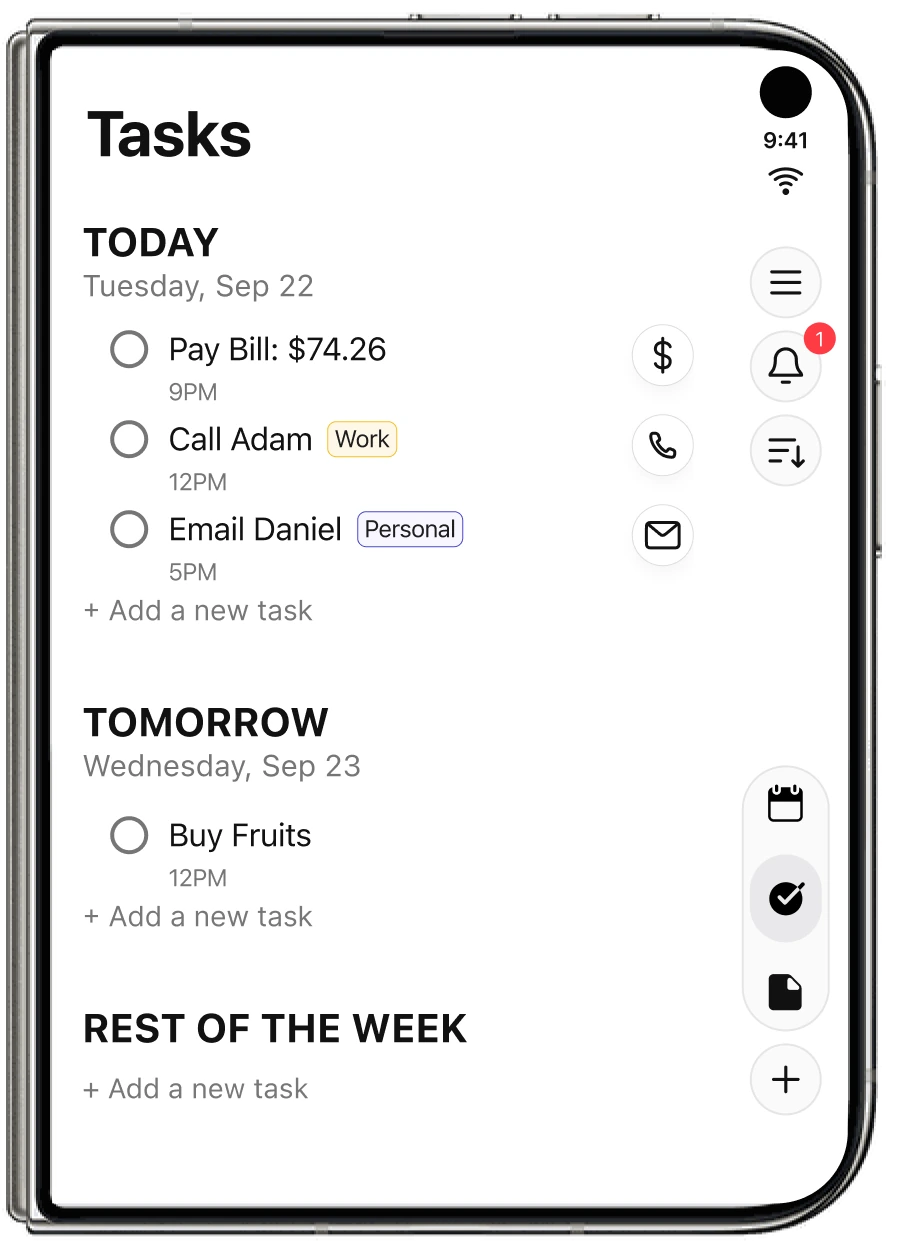
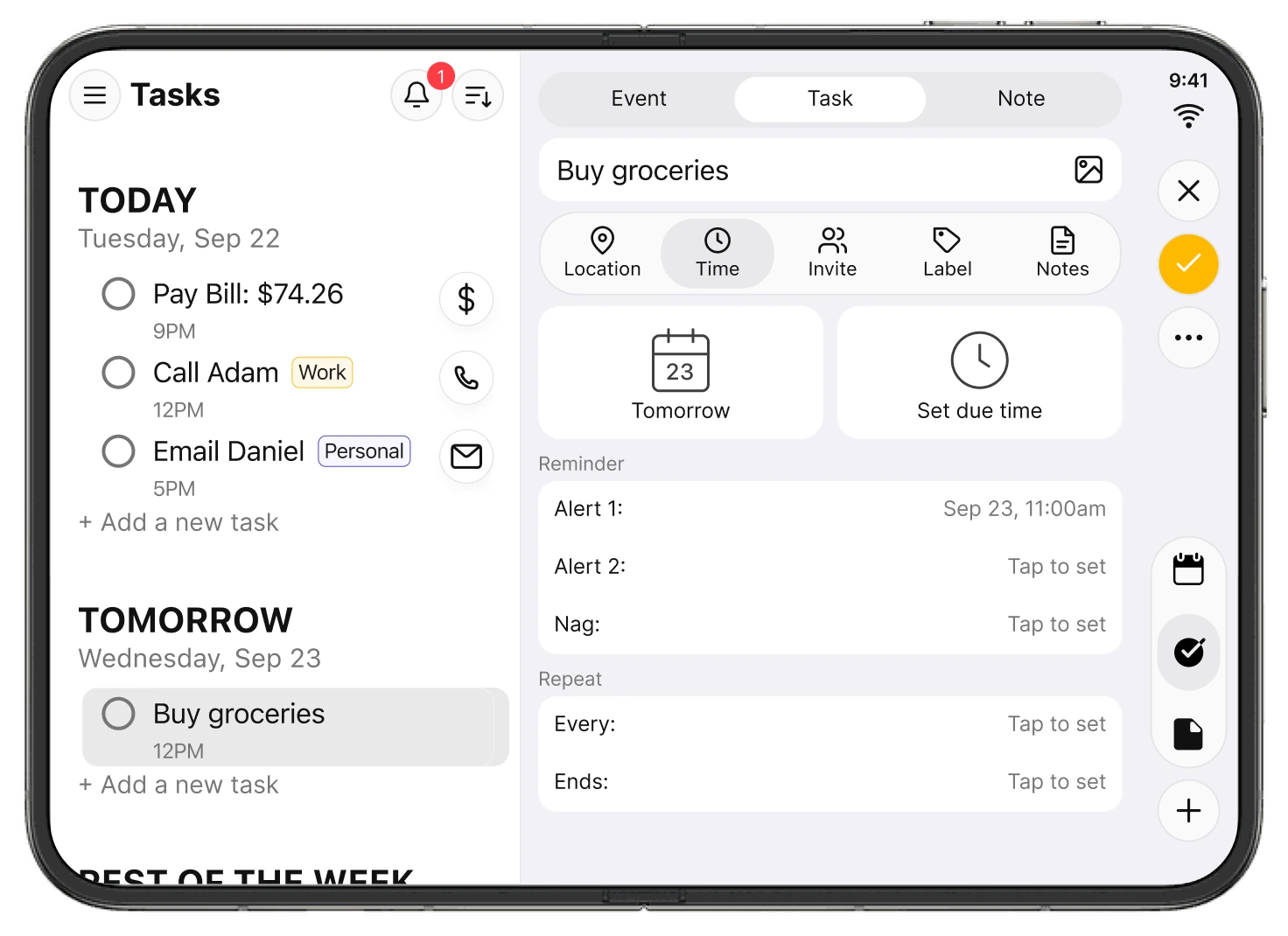
Check your list on the outer display. Open iPhone Duo to work with the details alongside it.
More space for your notes and ideas
A good note-taking experience helps you capture an idea and come back to it when you need it.
On the expanded screen, 24me keeps your notes list visible while you open and edit a note beside it. Review what you’ve saved, choose a note, and give its content more room.
Whether you’re keeping meeting notes, planning a project, or writing down something you don’t want to forget, the layout brings your list and your writing together. Notes stay part of the same organizer you use to manage your schedule and tasks.
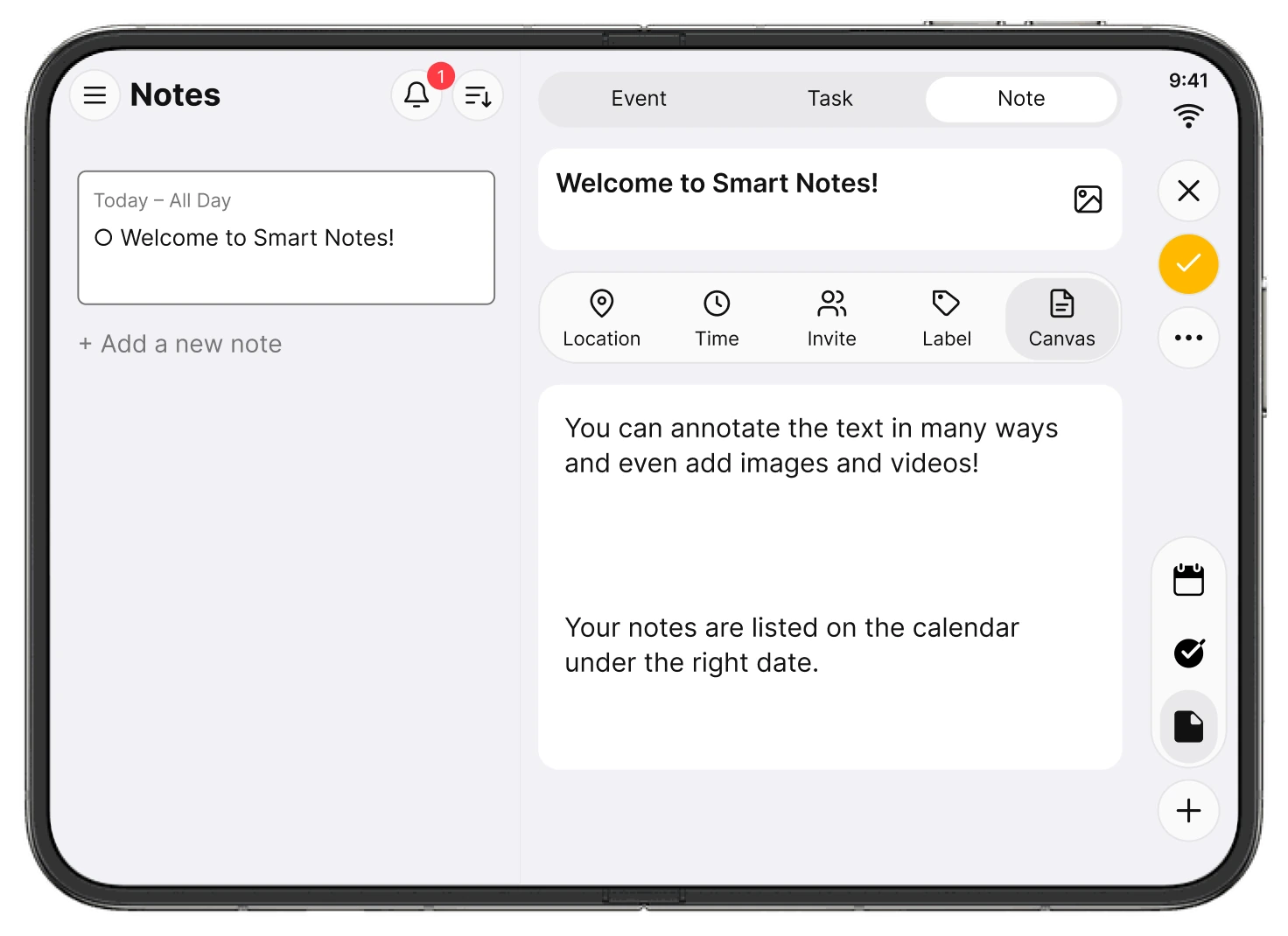
Your notes list stays in view while you read or edit a note beside it.
Edit the details while keeping your calendar in view
The update also introduces redesigned editing windows for events, tasks, and notes that adapt to your screen.
A focused editing sheet gives an event, task, or note room for its details, reminders, and repeat options while your week stays visible behind it. You can work on the item in front of you with the surrounding schedule still there for reference.
It’s a small but useful part of everyday planning: getting the details right while keeping sight of the bigger picture.
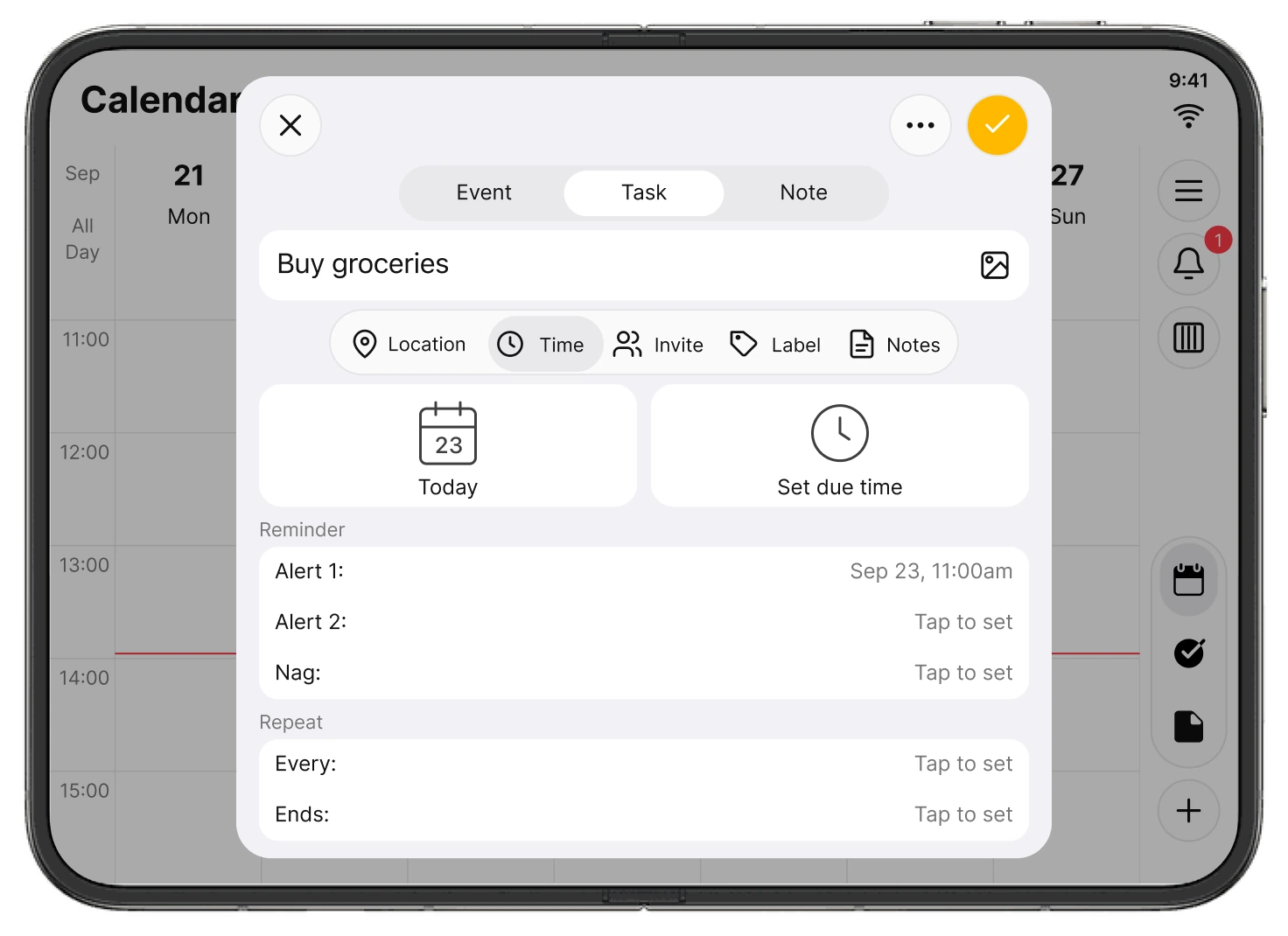
Focus on the details, with your calendar still visible behind the editing sheet.
Built on 24me’s iOS 27 experience
This release builds on our iOS 27 update, which introduced Live Activities, expanded App Intents integration with Siri, Spotlight, and Shortcuts, Apple Intelligence experiences, and Liquid Glass design.
The iPhone Duo update brings a new dimension to that work: layouts designed around the space available to you, from the compact outer display to the expanded inner display.
If you’re exploring productivity apps for iPhone Duo, 24me brings four everyday essentials together: a calendar, a task manager, notes, and reminders—with more room to use them.
Make more room for your day
We’ve always believed that getting organized should leave you with more time and attention for the things that matter. We’re excited to bring that idea to iPhone Duo from day one.
Download or update 24me on the App Store and make more room for your day.
See more of 24me for iPhone Duo.
Questions about 24me for iPhone Duo
Is 24me ready for iPhone Duo at launch?
Yes. The updated version is available on the App Store for the October 23, 2026 launch, with adaptive layouts for the device’s different screen sizes.
What changes when I unfold iPhone Duo?
24me makes use of the larger display with a spacious calendar and side-by-side layouts for your task or notes list and the selected item. Navigation and editing windows adapt to the available space.
Can I manage my calendar, tasks, notes, and reminders in one app?
Yes. 24me brings all four together in one smart personal assistant, so you can plan your schedule and keep track of what you need to do in the same app.